
Blog
From cobblestoned Portuguese alleys navigated one-handed with a stroller to reef dives in Fiji, this is where the trips live. Told through words and whatever camera happened to be with me.
I shoot film and digital and travel with family in tow. These posts are part travel journal, part photography log, and part love letter to the places that made an impression. I hope they make you want to go see them for yourself.
Latest Articles









The Insta360 Ace Pro2 as a Travel Camera
Could the Insta360 Ace Pro 2 really work as a travel camera? After two weeks shooting with it across Athens, Sifnos and Milos, I came away impressed by its versatility—and increasingly aware of where a dedicated stills camera still wins.
Characterful home in Ano Petali, Leica Natural, Sifnos, Greece, Insta360 Ace Pro2
Vintage Camera Vibes in an Action Cam?
My initial impressions review of the Insta360 Ace Pro 2 as a stills camera has become the most-read article on Yarko On The Go this year. That first test left me intrigued: the Ace Pro 2 was fun, versatile and capable of surprisingly characterful photos, but its shutter lag, ergonomics and image-quality quirks kept it from truly replacing a dedicated point-and-shoot.
Several months, a few firmware updates and a few plane tickets later, I took the Ace Pro 2 to Greece for a more demanding test: could it actually work as a travel camera for two weeks abroad?
I brought backup. The Ace Pro 2 shared my camera bag with a Leica M10-R and Ricoh GR III while travelling through Athens, Sifnos and Milos. That gave me the chance to use it for street photography, landscapes, family snapshots, video and eventually scuba diving—and, more importantly, to see which camera I actually reached for when a photograph presented itself.
So, can the Insta360 Ace Pro 2 replace a traditional travel camera? Not quite. But after two weeks with it, I think its strengths as a compact hybrid travel camera are considerably more interesting than I first gave it credit for.

Guess I wasn’t that subtle. Woman exits a cafe, Kastro, Sifnos, Greece, Insta360 Ace Pro 2
Ace Pro 2 as a Travel Camera: At a Glance
| Travel-camera consideration | My experience |
|---|---|
| Daylight stills | Good, especially for social and web use |
| Leica JPEG profiles | Characterful; Leica Natural was my preferred travel profile |
| Battery life | Excellent with the Xplorer Grip Pro |
| Portability | Great in a sling; a little bulky in a shorts pocket |
| Shutter response | Still slower than a dedicated compact camera |
| Low-light stills | A clear weakness |
| Video | One of the strongest reasons to carry it |
| Water and rugged use | A major advantage over my traditional cameras |
| Replace a GR III? | No—but it makes an excellent secondary travel camera. |
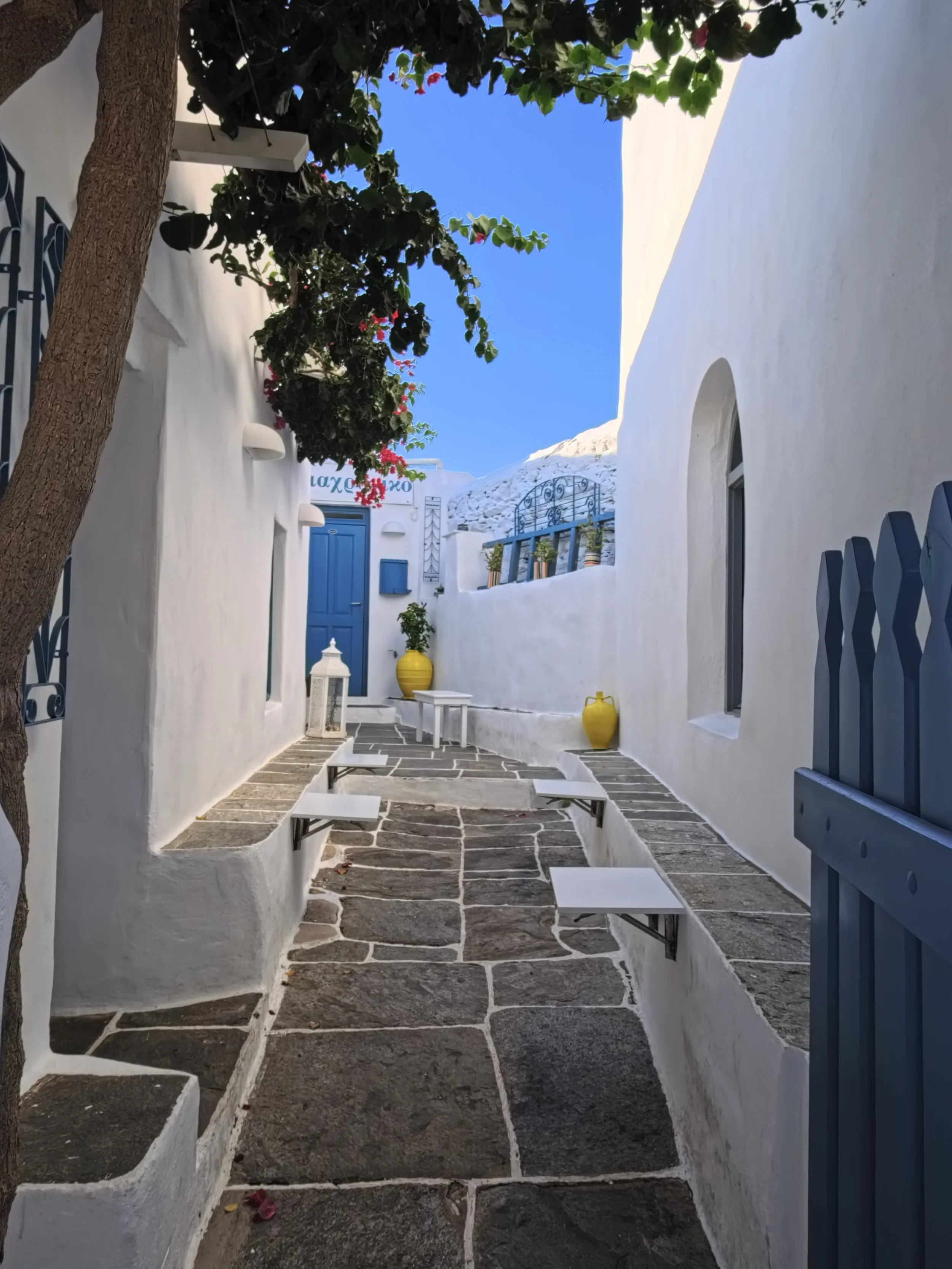
Still Life in an alley, Ano Petali, Sifnos, Greece, Insta360 Ace Pro 2
Cameras, cameras everywhere
One of the first things I noticed on this trip to Europe was the cameras and in particular -point-and-shoots. The hype is plentiful online regarding the resurgence of the camera (vs the smartphone) for photography, but it was quite reassuring to see the shift playing out before my eyes. Of course the Fuji X100Vi was prevalent, but with it other Ricohs, Canons, and more including the fresh out-of-the-box Leica D-Lux8 in my wife’s hands. (A birthday present received just a week before we flew). They weren’t all new either, some of the little digital cameras I saw were 10+ years old and others were shooting film. Cool!
It makes sense then that Insta360 would find it attractive to market one of their flagship action cams as an entrant in the burgeoning renaissance of dedicated cameras, but does it belong in that pack, or is it a pretender in point-and-shoot clothing? What follows is a distilled perspective of the strengths and weaknesses of the Ace Pro 2 for shooting stills on vacation.
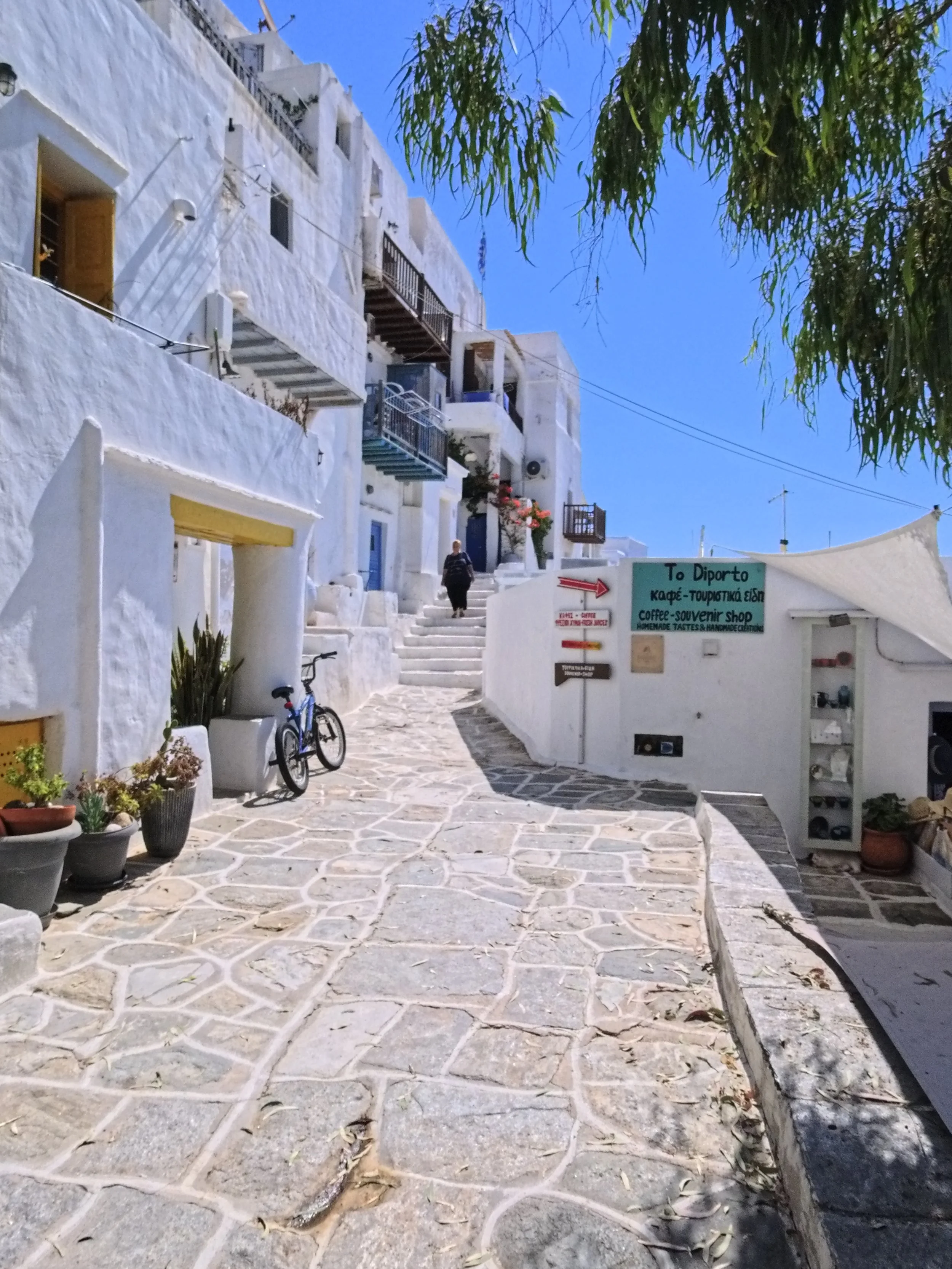
Woman descends the stairs, Kastro, Sifnos, Greece, Insta360 Ace Pro 2
Where the Ace Pro 2 Shines as a Travel Camera
Size and Travel Portability
For the first time in my travels, I decided to bring a sling bag to pair with a backpack on this trip. The Bellroy Lite Sling was the pouch of choice along with the Bellroy Lite Travel Pack 30L on my back. The Ace Pro 2 with Xplore Grip Pro easily fit in the sling along with my usual every day carry items including the Ricoh GRiii, giving me an opportunity to easily choose which camera to shoot with. (At times I even had my Leica on my neck strap as well, but frankly things started to get heavy and unwieldy at that point.) The Ace Pro 2 was easy to take in and out of the bag quickly, though the lack of cover for the lens protector occasionally made me nervous about scratches. My solution? - A wrist sweat-band I brought along and stretched over the camera when in the pouch. Not an elegant solution perhaps, but an effective one it turned out. To be fair, the flimsy automatic lens protector on the Ricoh doesn’t inspire a ton of confidence that it’ll survive bumping along in a pouch with other items either.
In a pocket however; the Ace Pro 2 does feel a bit bulky, particularly in the pockets of a light pair of shorts, which is what I wore the entire trip as it was 36 degrees C every single day! (Packing pants was a waste of space, it turned out). There are some other challenges with pocket-ability that I touch on later in the article.
Battery Life with the Xplorer Grip Pro
On the days I focused on the Ace Pro 2 for photography, I rarely had a situation where power got low enough to need a battery swap. With the Xplorer Pro Grip fully charged, there’s plenty of juice to take me through a day of still shooting even with some video thrown in as well. In stark contrast, I typically bring 3 spare batteries for my Ricoh GRiii for a dedicated day of photography. So, top points for battery life from me.
Ease of Use
Power it on and shoot! This is what the point & shoot ethos is all about and when travelling it just makes so much sense. One doesn’t always have a free-hand for manual focus or even to balance a larger camera to help compose a shot, for that matter. The Ace Pro 2 is easy to shoot horizontally and vertically, and I found myself doing the latter more often than you might expect given the availability of wide crop options. it also looks enough like a “regular camera” that nobody really bats an eye at it as you snap away throughout the day. Switching off the front panel indicator light and display aids in increasing the subtlety of the camera -particularly as daylight begins to fade.
Textures catching my eye outside a shop in Kastro, Sifnos, Greece, Insta360 Ace Pro2
Leica JPEG Profiles for Travel Photography
For the purpose of this trip, I focused almost entirely on the Leica Natural profile for my Ace Pro 2 JPEGs. On the camera screen, the images display a slightly nostalgic saturated colour palette with decent sharpness and dynamic range. These generally, but not always, coincided with what I’d see when I sent the images to my phone, though on the laptop, or Mac Studio sized screen, the limitations of the image quality begin to show themselves. If you’re sharing your photos mostly on socials, the output is often adequate and needed minimal editing if any to get to a point I was happy with. To me, these JPEGs remind me of some old film stocks I shot in the past, such as Agfa Vista, although the tonal contrast and gradient here seems a bit less refined, almost cartoonish at times, but with some sense of charm.
Colourful fishing boat homes in Milos, Insta 360 Ace Pro 2
Zoom and Field of View
While prime lenses are my weapon of choice, there’s something to be said for being able to zoom in on a subject or scene. I didn’t always remember the function was there (as neither of my other cameras offer this feature), but if I was mindful of it I think I would have made more use of it. (The toggle is on the front of the shutter button mount)
There are multiple fields of view as well from De-Warp to Linear to Megaview and more. I generally tried to stick to the FOV that gave me the least distortion, which best suits my style of photography. That said, there’s a lot of fun and creativity to explore with the other settings depending on your surroundings.
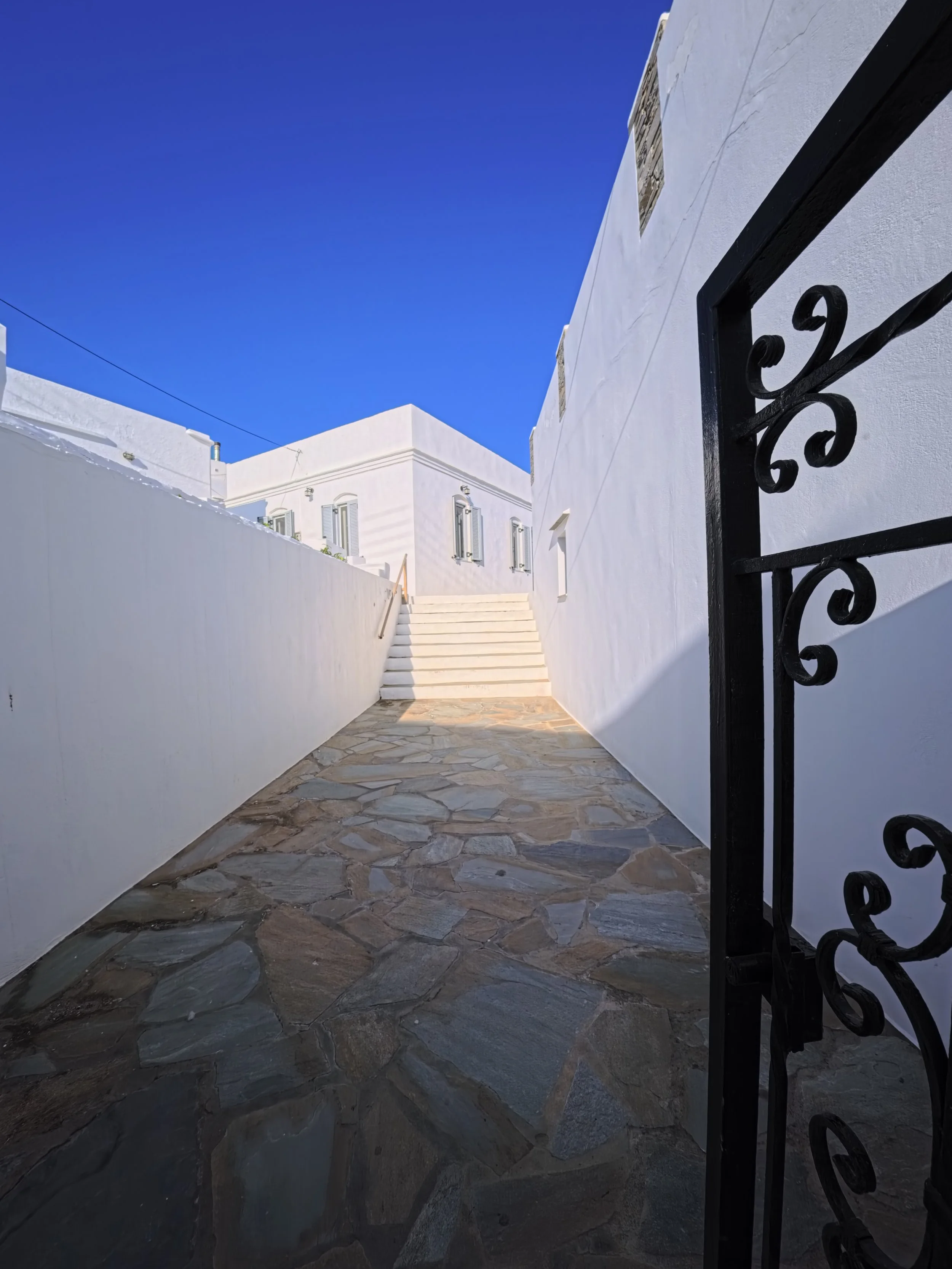
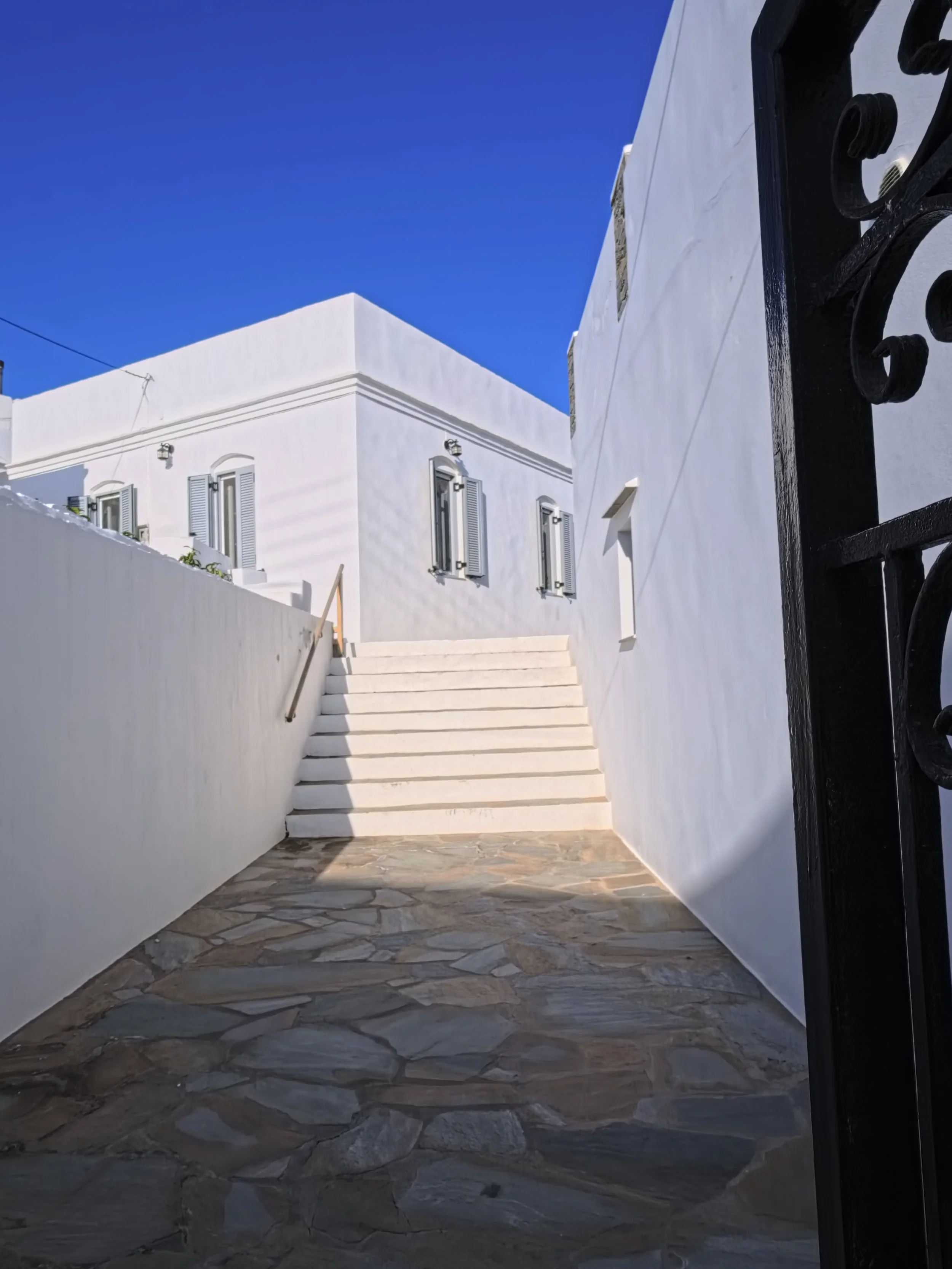
Why the Ace Pro 2 Works as a Hybrid Travel Camera
Decent stills and video in the same compact yet robust package? The thesis sort of writes itself for travel use, doesn’t it. It may not be the absolute best at both, but it’s not bad either. It’s durable enough that you’re not too stressed taking it to the beach, on a boat, or even for a swim -but not with the grip mounted! On that last note, a follow-up article from this trip on the Ace Pro 2 as a scuba-diving camera is coming soon! I’m definitely not doing that with the other two cameras…
Vespas and blue-domed Churches, must be Greece, Insta 360 Ace Pro 2
Church of the Seven Martyrs, Kastro, Sifnos, Greece, Insta360 Ace Pro 2
Home with a view, Kastro, Sifnos, Greece, Insta 360 Ace Pro 2
“If you’re sharing your photos mostly on socials, the output is often adequate and needed minimal editing if any to get to a point I was happy with.”
Where the Ace Pro 2 Struggles for Travel Photography
Image Quality: Resolution, Fringing and Blooming
This camera is not for the pixel-peepers, but is it fair to call that a struggle? In the occasional arms-race that is camera specs, it can dissuade some people, and if you like to print your photos, or look at them on larger screens, then this camera is not going to astound you. That doesn’t mean the images can’t be characterful, or “good”, but if low grain a lack of fringing and high sharpness are of key importance, this isn’t the tool you’re looking for.
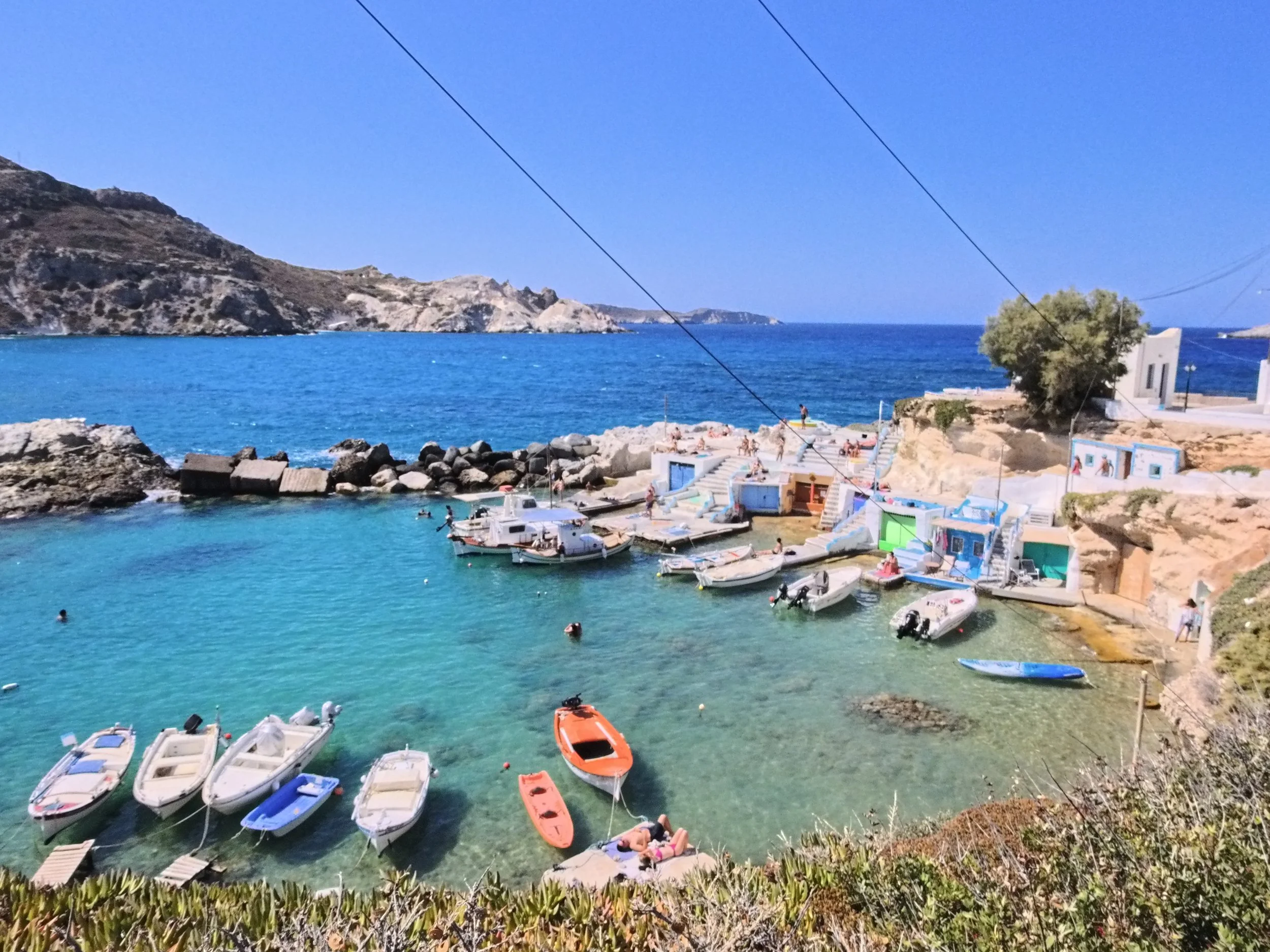
This water was surprisingly dirty, Milos, Greece, Insta360 Ace Pro 2
Lens Flare
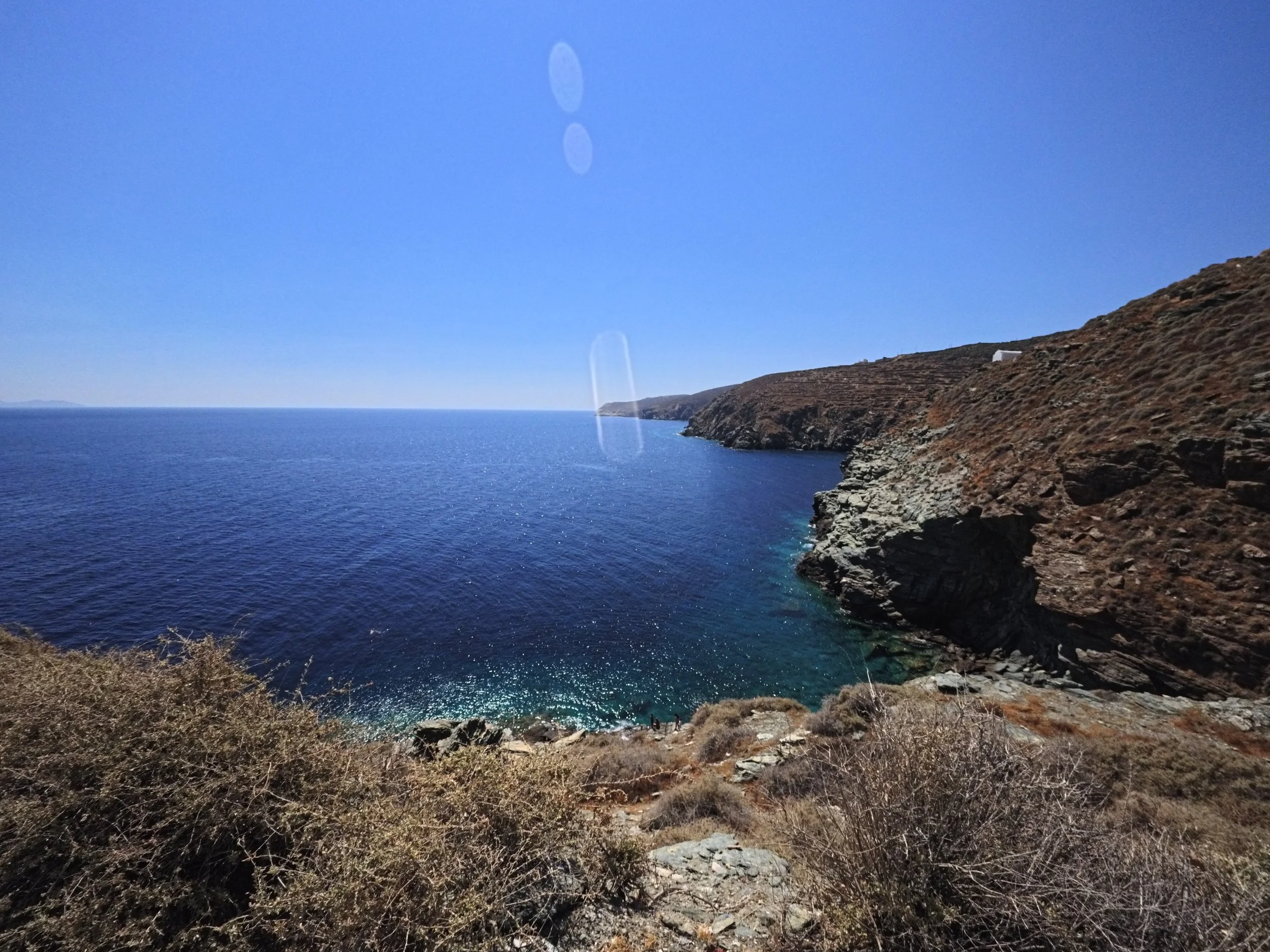
Occasionally, lens flare (where bright light enters a camera lens and reflects internally off glass, coatings, sensors etc. creating streaks or circles of light) can be used with great artistic effect, but in general most folks attempt to avoid it in their images. With the Ace Pro 2, particularly facing the sun (of course), it would occasionally create blocky or blobby unattractive streaks in the image. My guess is this is the fault of the protective lens cover rather than the lens, but it’s not the easiest component to remove/install and so once it’s on it’s generally left alone. Be mindful of your angles shooting in the direction of a bright light source and you’ll be fine, though it’s not always easy to spot it as you’re composing on your screen in bright surroundings.
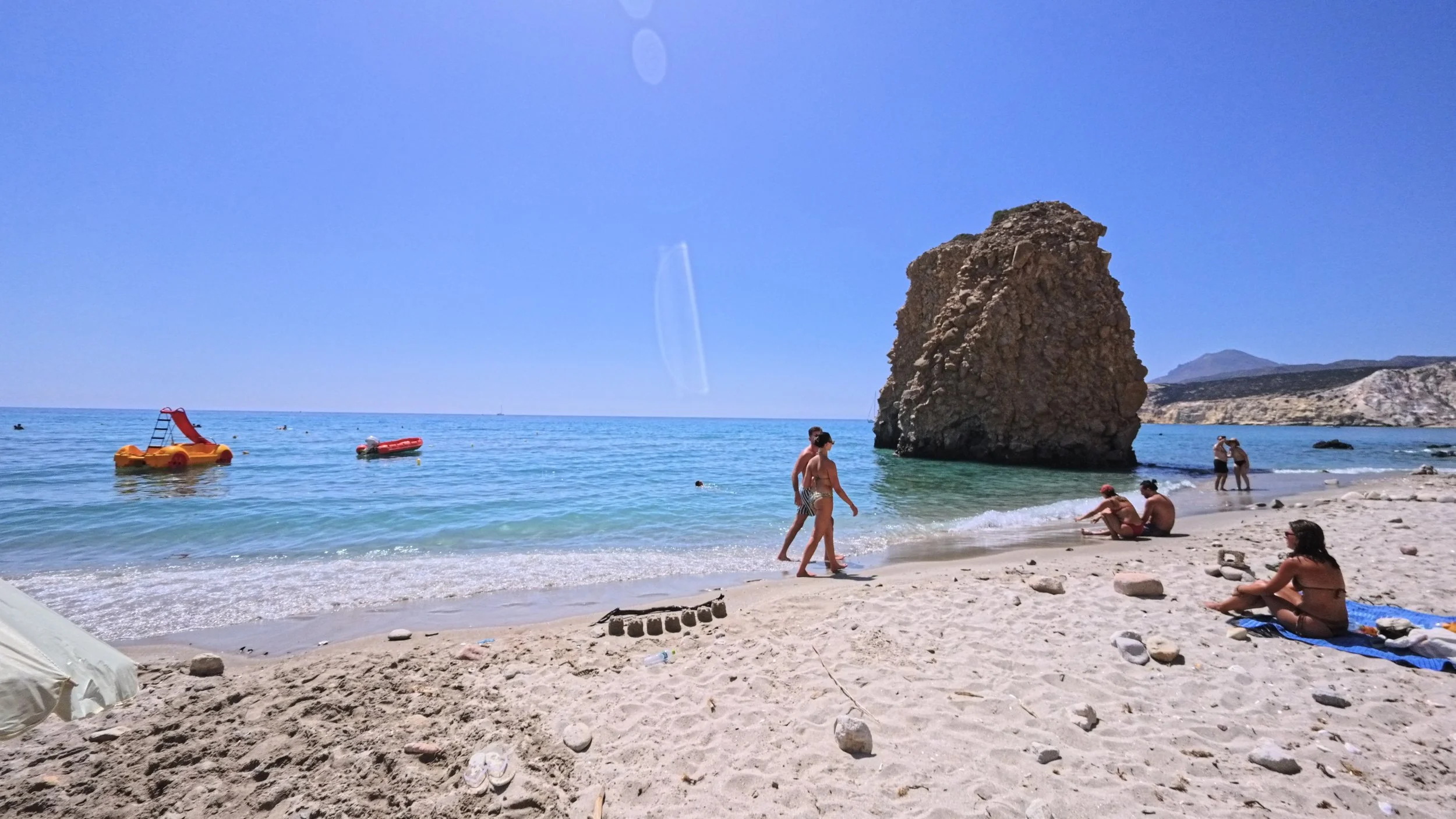
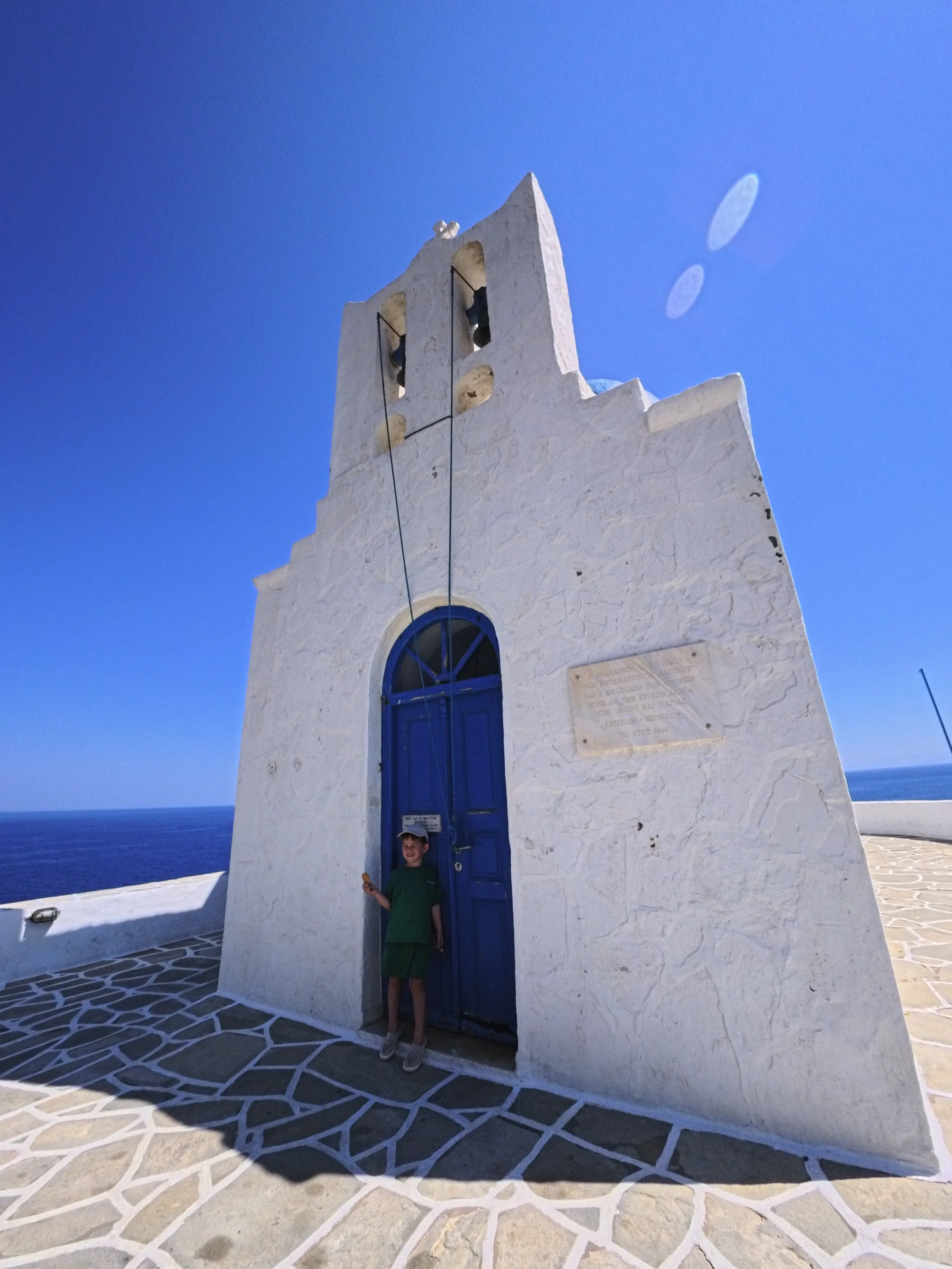

Heat!
This camera gets hot! Leaving it on (as one does) while walking around allows the camera to begin building up quite a bit of heat which is felt primarily on the back where the screen is. It was enough that it was uncomfortable to put the camera in my shorts pocket after shooting for a while, and when I did, that leg got sweaty immediately. I suspect the culprit, at least partly, is the Xplorer Grip Pro which charges the camera as you go -a setting that can be switched off if you remember to do so. It’s not going to burn you, but at a few points it got warm enough as to be a bit alarming. This was certainly exacerbated by the high ambient temperatures typical in August in Greece of course, so perhaps not an issue for a vacation to the arctic circle? The camera itself (without the grip attached) is waterproof enough to swim with, so maybe an occasional dip to cool it off is in order. But, that means you need to pack along and reinstall the tiny USB port cover-door that you remove when attaching the grip. That is a piece that one can very easily loose given it’s tiny size, and something I stressed about occasionally on the trip.
Shutter Lag and Street Photography
Admittedly I’m getting used to it now, and in the context of capturing largely still scenes (buildings, textures, vistas), it’s a non-issue. But, a part of travel photography is capturing living moments around you, and to do so well you need to be in synch with your tools. The shutter button still lags, and the buffering is still slower than I’d like, but after a few months with the camera it’s something I’ve generally begun to naturally adapt my style for when using it. Still, if Insta360 is reading this, speeding it up would do wonders!
Low-Light and Night Photography
Things get a bit weird with Ace Pro 2 image quality shooting stills after dark. Zoom in and images get a bit muddy with sharpness falling off dramatically all over and highlights occasionally producing strange artifacts. Images begin to take on an almost cartoonish quality in some instances. It took me quite a bit of sifting through my shots to choose a few to share here, which I think is telling. Certainly, shooting in dark conditions will challenge any camera, but it felt particularly inappropriate to try too hard with this one. I eventually stopped taking it with me in the evening, unless I wanted to shoot some video, where it dramatically outperforms it’s low light still capability, and certainly the other cameras in my bag.

Everybody hold still please.
Foreground objects are decent, but what’s going on with the people walking on the right?

Enough light to sharpen things up, but there’s some lens flare again.
Is the Insta360 Ace Pro 2 a Good Travel Camera?
Would I travel with the Ace Pro 2 again? Absolutely. Would I travel with only the Ace Pro 2 if photography mattered? No. As a videography neophyte, the approachable nature of the Insta360 Ace Pro 2 when it comes to video makes for a compelling case to pack it along for the next adventure. It would undoubtedly always be paired, however; with a dedicated stills camera to capture the type of photos that resonate most with me. Saying that, and looking at this next image below, I can imagine a project or two that leverages the grainy, saturated, nostalgic quality that this little camera can produce. The thing about quirks is, once you get to know them, you can figure out how to leverage them. If you can do so reliably, then perhaps it becomes a tool with a very specific stylistic purpose (remembering of course, that there are other Leica JPEG profiles built-in to the camera to explore that aren't featured here ).

Quirky and Characterful (the camera and the kid), Ano Petali, Sifnos, Greece, Insta 360 Ace Pro 2
The Ace Pro 2 continues to grow on me, despite its limitations as a stills camera. The more you use it the more you begin to understand when to use it, and when to leave it in the hotel room.
Reflecting on it’s use during this trip:
It’s not going to win any image quality awards, but it will occasionally produce images you keep coming back to, pictures with a bit of emotion built-in that perhaps you’ll even print (in a small format)
It’s easy-to-use and non-”pro” nature encourages the silly shots, the texture shots, the photos you may not otherwise think to take but for a notion: “I wonder how this might look if…”
It’s not the only camera you bring, but you may miss it if you don’t

Packed in like sardines on the Ferry, Insta 360 Ace Pro 2
Taking in the life in Kastro, Sifnos, Insta 360 Ace Pro 2
A moment of calm at Sarakinikos, Milos, Greece, Insta360 Ace Pro2
IWC Pilot’s Watch UTC - Why Don’t More Watch Brands do This?
For me, the question is not simply whether a piece of gear is good, but whether it earns its place on the journey. With compact proportions, an intuitive home-time display and an attainable pre-owned price, the overlooked IWC Pilot’s Watch UTC makes a compelling case as a true travel companion.
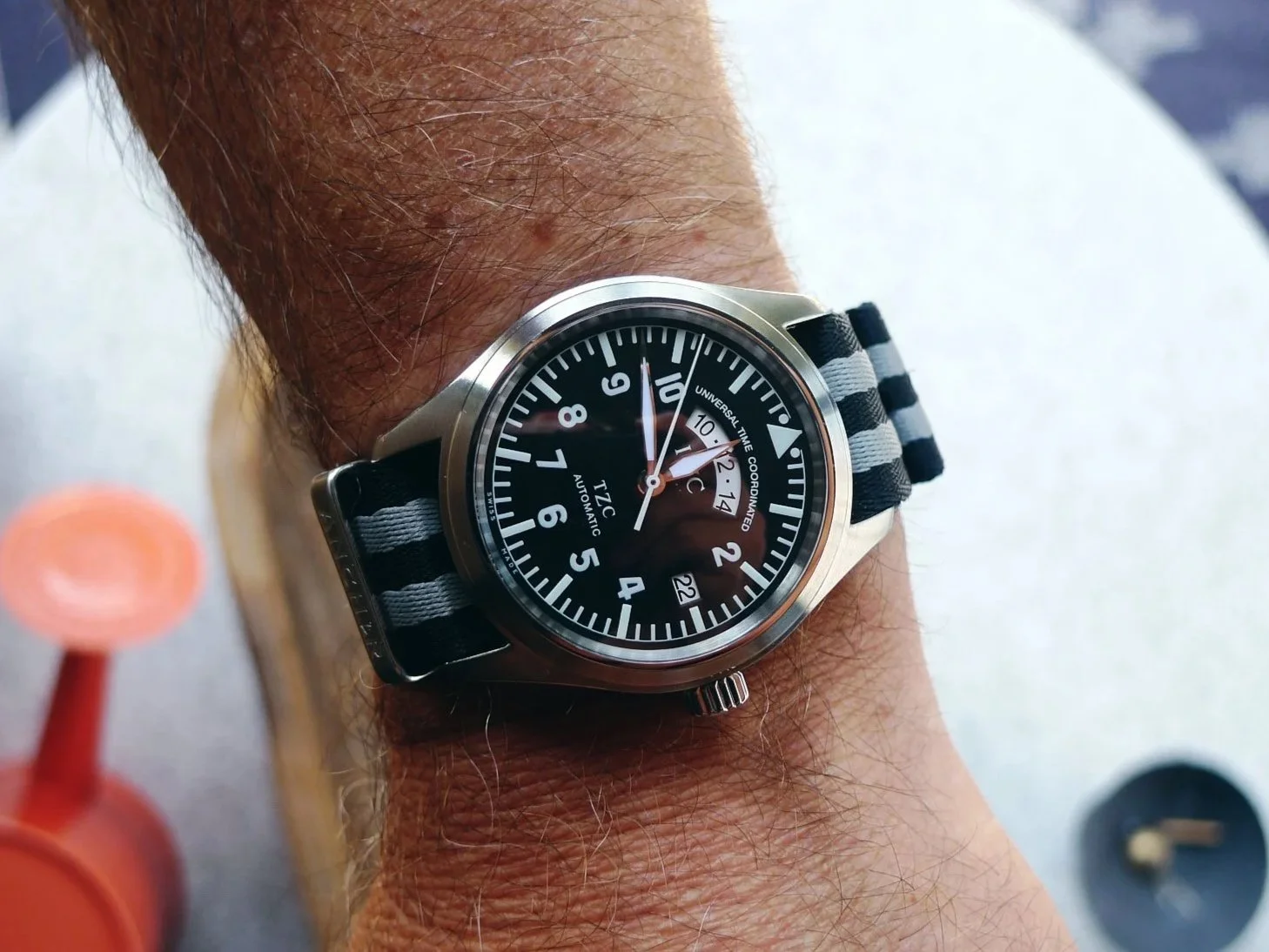
IWC Pilot’s UTC on an Anchor Straps NATO.
IWC isn’t necessarily the first brand that comes to mind for those seeking a GMT or UTC timepiece—I’m going to use those terms loosely and interchangeably from here on, watch-nerd caveats acknowledged—but this one has a trick on its dial that makes it arguably more user-friendly than much of its more hyped competition, from both large and microbrands.
Pair that with an attainable price on the current pre-owned market and you have a tempting value proposition in a luxury tool watch. But I bet this little pilot isn’t on your radar.
Should it be?
The Use Case
For me, the question is not simply whether a piece of gear is good, but whether it earns its place on the journey. I’ve applied the same test to cameras too, most recently asking whether the Insta360 Ace Pro 2 could earn its place as a one-camera travel solution. I travel a great deal, both for work and leisure, and that is reason enough for any watch collector to solve a “problem” with a shiny piece of metal on the wrist. The problem in question is how to set and track a second time zone easily while on the move—and, for the discerning enthusiast, how to do so without disrupting the watch’s flow of time.
Enter the traveller GMT, or in this case UTC, concept. In simple terms, it allows you to change the main hour hand to local time without stopping the seconds hand, while simultaneously displaying the time back home.
There are compelling options across the spectrum, from the relative unobtanium of the Rolex GMT-Master II to offerings from Seiko, Parmigiani Fleurier, Vacheron Constantin, Formex and many more. How does one choose in such a crowded market?
Budget is a good starting point -there’s a serious spread in the aforementioned brands, for example. From there, I think serendipity has a lot to do with the piece you ultimately find. And so, as any serial hobbyist would, I set off on several months of online research.
The Timepiece
I stumbled across this little IWC while doomscrolling through a local watch community on my phone during a 90-minute late-night Uber ride from YYZ to a conference in Niagara Falls.
The IWC Pilot’s Watch UTC, bearing the TZC—or Time Zone Corrector—designation on its dial, admittedly wasn’t on my radar at all, despite being a pilot’s watch. Awful pun; it needed to happen.
In fact, the brand as a whole had largely escaped my attention, aside from a few earlier and smaller chronographs in its back catalogue that I had earmarked for “maybe one day.” The current lineup, including today’s 46mm ceramic Timezoner, would simply dominate my 6.5-inch wrist, making me feel like a kid wearing his dad’s watch. Sadly, I face a similar problem with Panerai and other large watches whose designs I nonetheless enjoy.
Serendipitously, this particular watch was listed for sale in a community not far from Niagara. Seeing as home was far away in British Columbia, I took this as a sign that I was meant to have a look. A few DMs later, I had arranged to see the piece between meetings the following day.
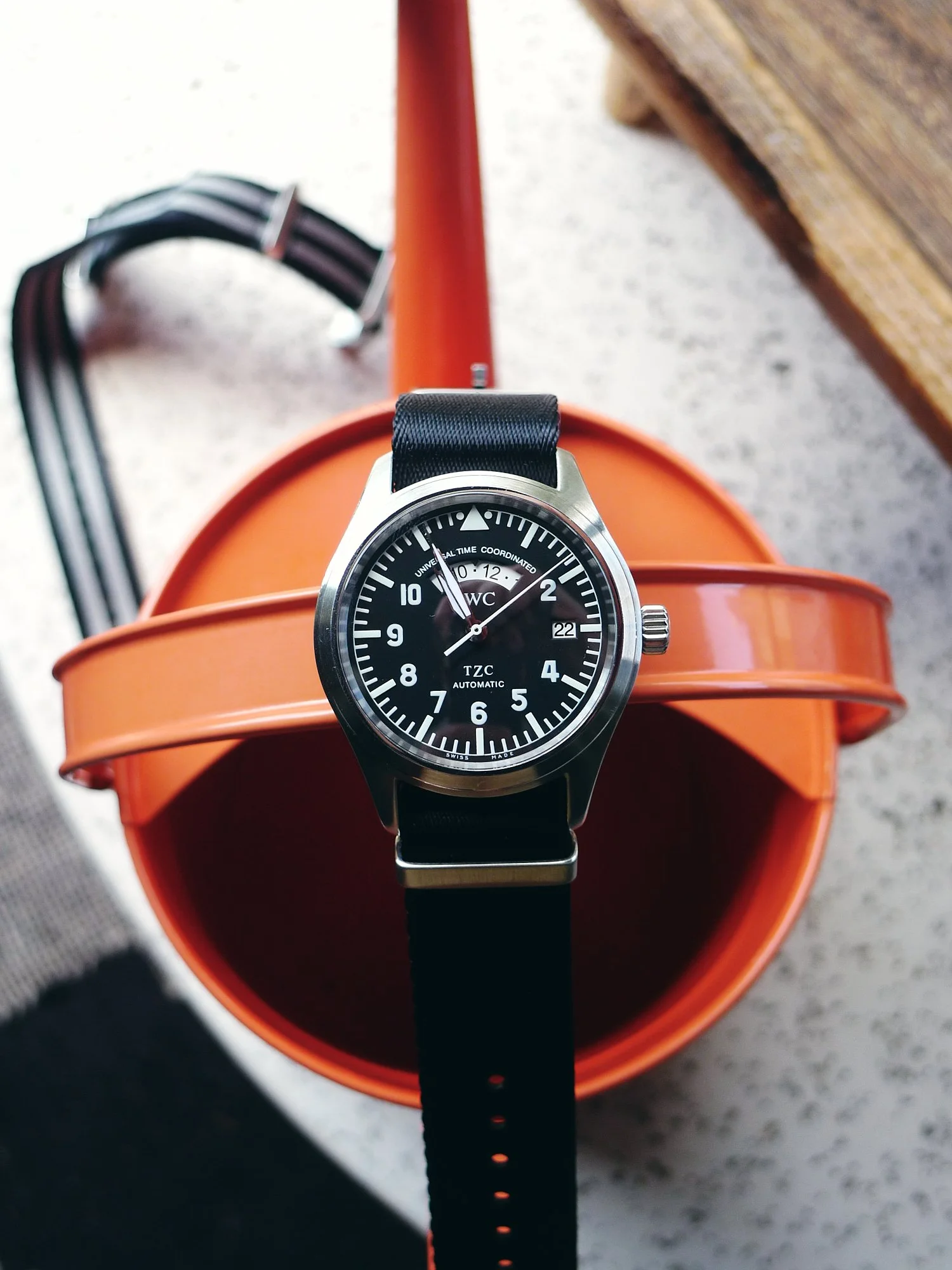
Black NATO straps compliments the dial, creating a perception of a deeper black tone.
My criteria for purchasing used watches are simple but limiting. I’m typically looking for something close to pristine or new-old-stock, so that I can put my own dents and scratches into it. I’m the same with cars—and, well, almost anything really.
Luck was on my side here. The watch was close to NOS and came complete with its stainless-steel bracelet, which barely had a mark on it. It looked even better in person than it had in the photographs and, following some mild negotiation, it was on my wrist for the trip home.
On a Wristwatchme black leather strap for a dressier look
The Specs
Model: IWC Pilot’s Watch UTC
Reference: IW3251-02 — stainless-steel bracelet configuration
Production era: Approximately 1999–2003
Case: Stainless steel
Diameter: 39mm
Thickness: Approximately 13mm
Lug width: 20mm
Crystal: Sapphire, secured against displacement caused by sudden drops in air pressure
Caseback: Solid stainless steel
Water resistance: 60 metres when new
Magnetic protection: Soft-iron inner case
Dial: Black with luminous Arabic numerals, hands and pilot’s triangle
Bracelet: Stainless steel
Movement: IWC calibre 37526, based on the ETA 2893-2
Winding: Automatic
Frequency: 28,800 vibrations per hour
Jewels: 21
Power reserve: Approximately 42 hours
Functions: Central hours, minutes and seconds; date; independently adjustable jumping local-hour hand; and home time displayed on a rotating 24-hour disk. The date moves both forward and backward with the local-hour hand when crossing the International Date Line.
Design
The UTC is an enigmatic blend of understated elegance and function-led design, wrapped in a small but commanding package.
The first standout is the domed sapphire crystal, which is an absolute magnet for reflections. This makes photographing the watch challenging—occasionally infuriating, in fact—but in practice it does not meaningfully affect readability.
The case is extremely comfortable, with lugs that curve down and hug the wrist. There is enough weight to remind you it is there without incessantly demanding your attention.
The more time I spent with it, the more I noticed some of its finer details. An impossibly thin polished chamfer runs from lug tip to lug tip along each side of the case, complemented by a polished edge on the otherwise brushed bezel. The signed crown is small enough not to disturb the back of the hand, yet still easy to grip. That said, I find it much easier to operate with the watch off my wrist.
Bespoke epsom leather strap by Wristmatchme
The dial has a lot going on, so let’s break it down.
The sword hands suit the flieger style and pair well with a razor-thin, white-painted centre-seconds hand that matches the rest of the dial printing. The triangle and dots at 12 help ensure that you don’t put the watch on upside down, while reinforcing the vintage flight-instrument aesthetic.
The Arabic numerals from 2 through 10 are present, save for the 3, which is replaced by a white date window—useful for a traveller, of course. The IWC wordmark sits subtly but proudly above the centre of the dial.
Above it rests the watch’s defining feature: the UTC window, a quarter-circle cutout displaying home time. It is here that the genius of the design becomes evident. Black numerals are printed on a rotating white 24-hour disc, while a small triangular marker at the top of the window establishes the reading point. This means your home time is always displayed in the same place on the dial. With more conventional GMT designs, your eye must first find the additional hand and then interpret its position against a separate scale. In practice, the IWC is more immediately readable—and by a meaningful margin.
Not that readability is a race, but why this approach hasn’t caught on more widely, I’m not sure. My guesses include the general desire to pay homage to the “king” of the category and the abundance of affordable movements designed around a conventional GMT hand.
The IWC approach also consumes a fair amount of dial real estate—but then so does something else, which brings me to my primary gripe with the watch.
Can’t un-see that big Z
Quirks
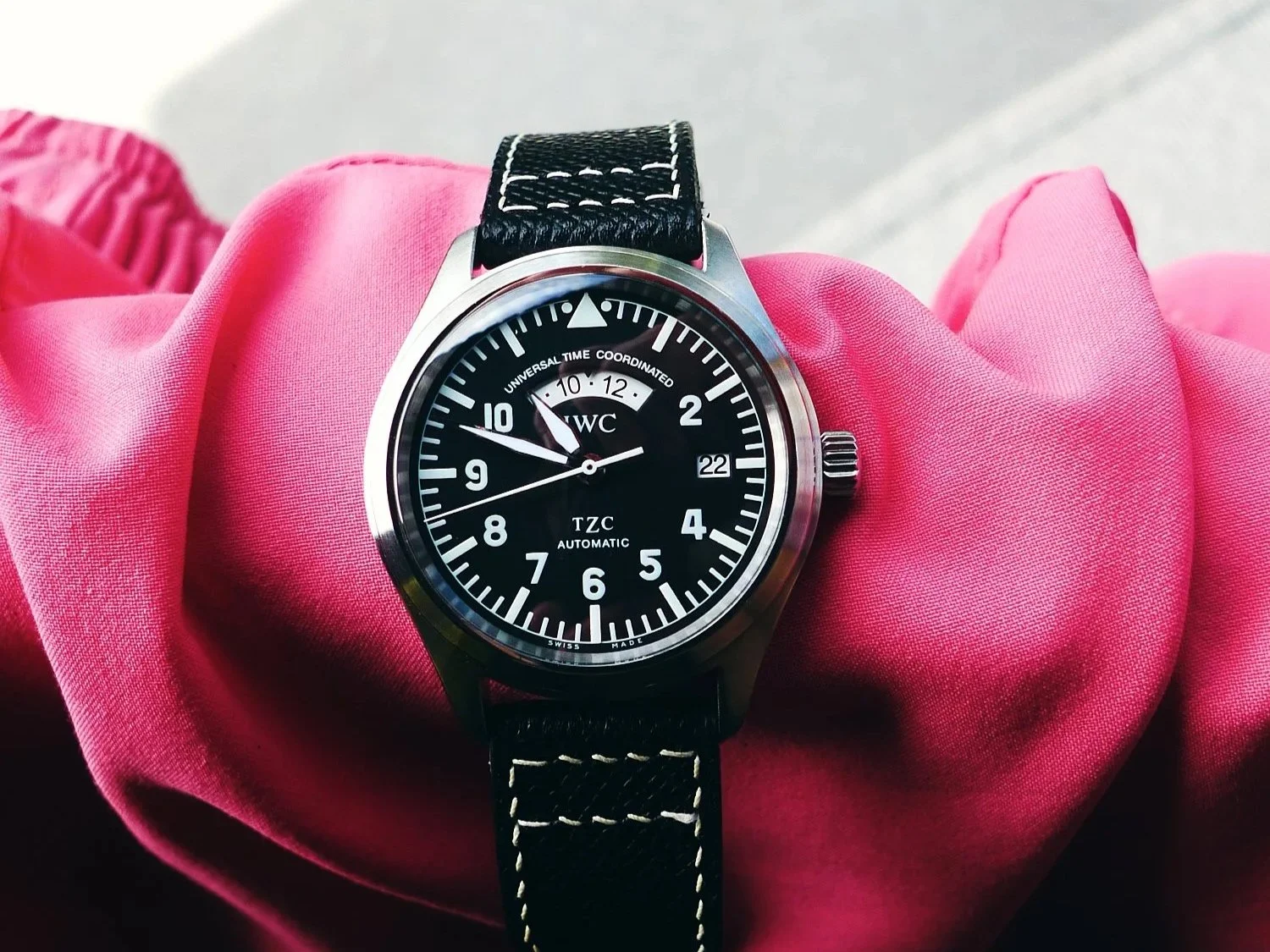
Time Zone Corrector is already a fairly unusual descriptor, but the TZC acronym—with its enlarged “Z”—looks a little goofy sitting above 6 o’clock on such an otherwise purposeful watch. Perhaps it suited the fashion of its day, but reducing that letter by about 0.5mm would do the design a world of good. Removing the acronym entirely and leaving “Automatic” to stand alone at the foot of the dial might be even better.
It is a matter of taste, of course, but it feels out of character with the rest of the watch.
The other element that mildly triggers my OCD is the “Universal Time Coordinated” script above the UTC window. I don’t mind the window being labelled, as it makes sense to distinguish it from something like a date display—and yes, there is a certain Hamilton to which this bears a passing resemblance. However, the wording appears just slightly off-kilter from a symmetry perspective, which occasionally makes my eye twitch.
Those details aside, the one functional improvement I would make is to the lume. If the UTC disc were lumed and therefore legible in the dark, it would be even more useful on long overnight flights, when curiosity about the time back home tends to arise again and again.
The lume overall is about average in initial brightness and well below average in duration—no doubt at least partly an age-related factor at this point.
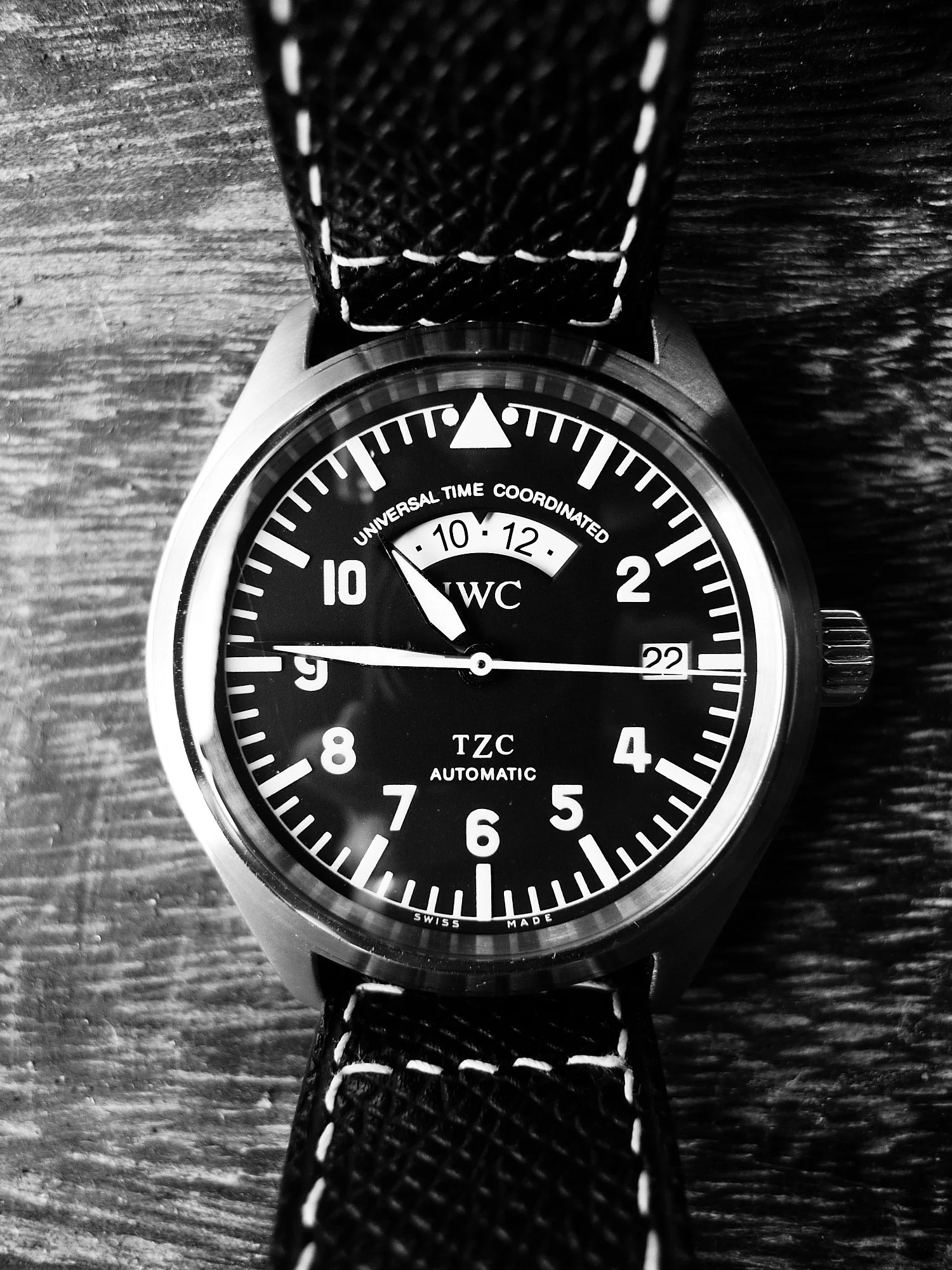
Why is the “Z” larger than the T and C? If you know, comment bellow!
The Bracelet
IWC bracelets are renowned for their comfort and solid construction, but I find that their slightly blocky design contrasts with the otherwise organic, softly curved lines of the brand’s flieger cases. This one fits beautifully and feels great, but visually it just doesn’t suit the watch—for me.
I wore it on the bracelet for the first month. While it was delightfully comfortable and easily adjustable once I had watched a few videos explaining the mechanism, it never looked quite right.
On to a NATO strap, then—but not before disaster struck.
The end links are so precisely fitted, and the gaps through which to access the spring bars so narrow, that it is surprisingly easy to damage the shoulders of the spring bars and render them nearly impossible to remove. What I expected to be a five-minute job turned into several hours of mounting panic as I made the problem progressively worse while trying to free the end link.
The debacle ended with a trip to my favourite watchmaker, who needed to use a diamond drill to release the end link from the case. The underside of the bracelet suffered a tiny amount of damage in the process, but the case emerged no worse for wear. Lesson learned. The bracelet now lives in my watch drawer.
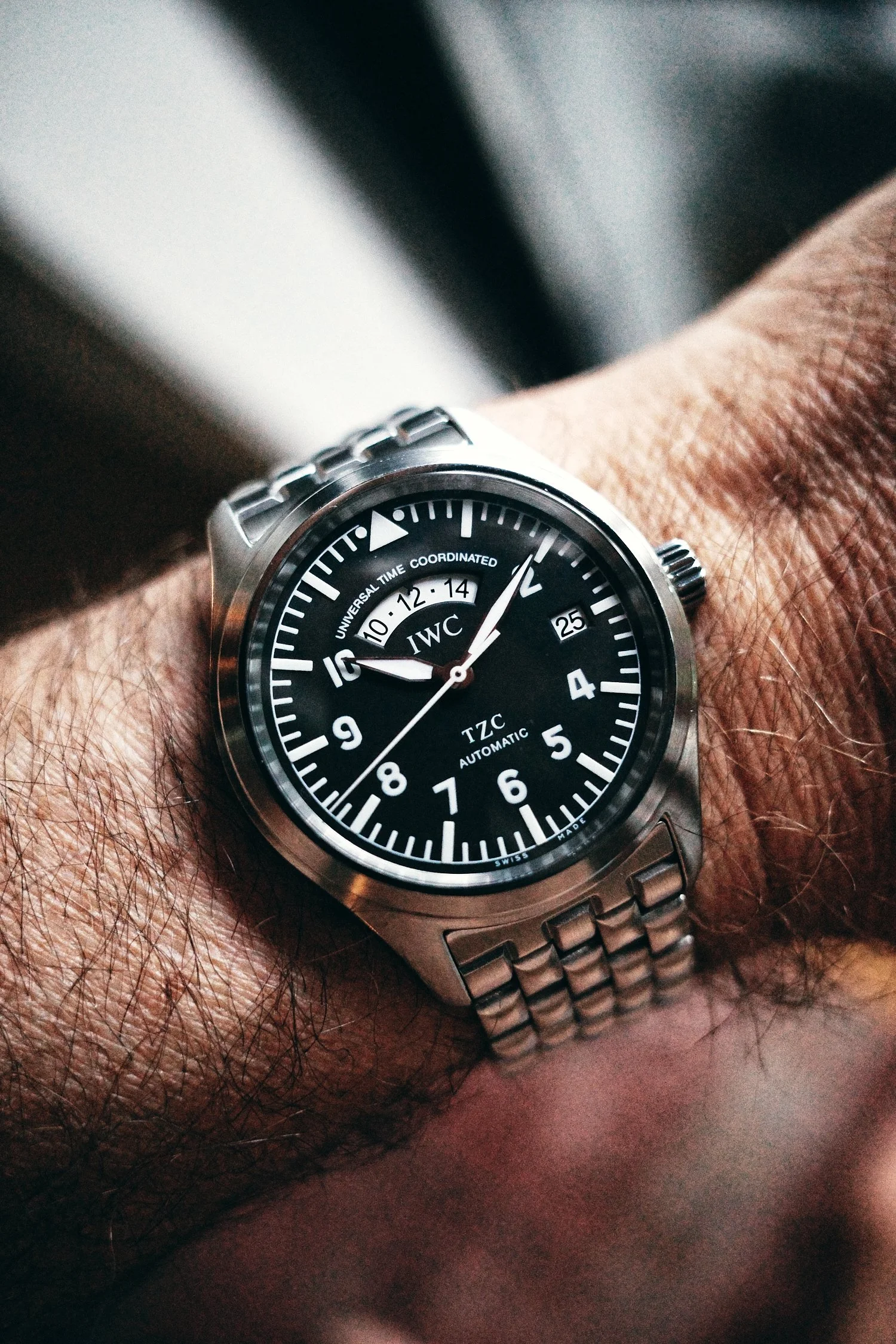
One and only shot on the bracelet, I’m afraid to reinstall it in case it gets stuck again…
The Pilot’s Watch UTC is an absolute strap monster, easily transitioning from casual to dressy depending on your choice of NATO, rubber or leather. A custom pilot-style Epsom leather strap by Wristwatchme is my favourite way to elevate the look, while black, Bond and grey NATOs all suit it well.
IWC Pilot UTC on bespoke Wristwatchme epson leather strap.
I chose Le Petit Prince blue for the underside because it’s IWC—and why not?
As a Travel Tool
A travel watch should do more than display another time zone. It should make life on the move slightly easier without introducing another object to worry about—and this is where the IWC makes its strongest case.
The independently adjustable local-hour hand works exactly as a traveller wants it to. In-flight, pull out the crown, jump the main hour hand forward or backward to local time, and continue on without stopping the seconds or disturbing the minutes. The date follows the local-hour hand in either direction as you cross midnight, which sounds like a small detail until you arrive somewhere exhausted and several hours removed from the time zone your body still thinks it occupies.
The UTC display is even more useful in practice than it appears in photographs. Home time remains fixed in one location at the top of the dial, rather than moving around it on an additional GMT hand. A quick glance tells me the hour back home without requiring me to find and interpret another hand against a 24-hour scale. When travelling for work, that makes it easier to judge whether it is a reasonable time to message a colleague or check in with family.
It also moves comfortably between the different versions of oneself that travel tends to require. On a NATO strap, it feels appropriate in an airport, walking through a new city or spending a casual day outdoors. Put it on black leather and it is restrained enough for meetings or dinner. At 39mm, it fits beneath a cuff, remains comfortable over a long travel day and never feels like another cumbersome piece of equipment.
Its discretion may be an even greater advantage. This does not look like an obviously expensive watch to anyone who is not already interested in watches. It avoids the recognition—and potential anxiety—that can accompany better-known luxury travel watches. There are destinations and situations where that matters more to me than prestige.
It is not perfect. The weak lume limits the usefulness of the UTC display in a dark aircraft cabin, and the 60-metre water-resistance rating—when new—does not inspire the same carefree confidence as a modern sports watch. I’m not stressed about some light swimming and beach-time with this watch, but it’s not going on any dives with me, which means I’m packing along a second (or third) piece for trips where I want to see under the sea -lot’s more to come on this topic in future articles. Its age also means I am somewhat more conscious of impacts, general moisture and the condition of its seals than I would be with a new tool watch.
Still, as an actual travelling companion, the IWC succeeds because its cleverest feature is also its most practical one. It is compact, discreet, versatile and unusually quick to read. Rather than merely looking like a travel watch, it meaningfully improves the experience of moving between time zones.
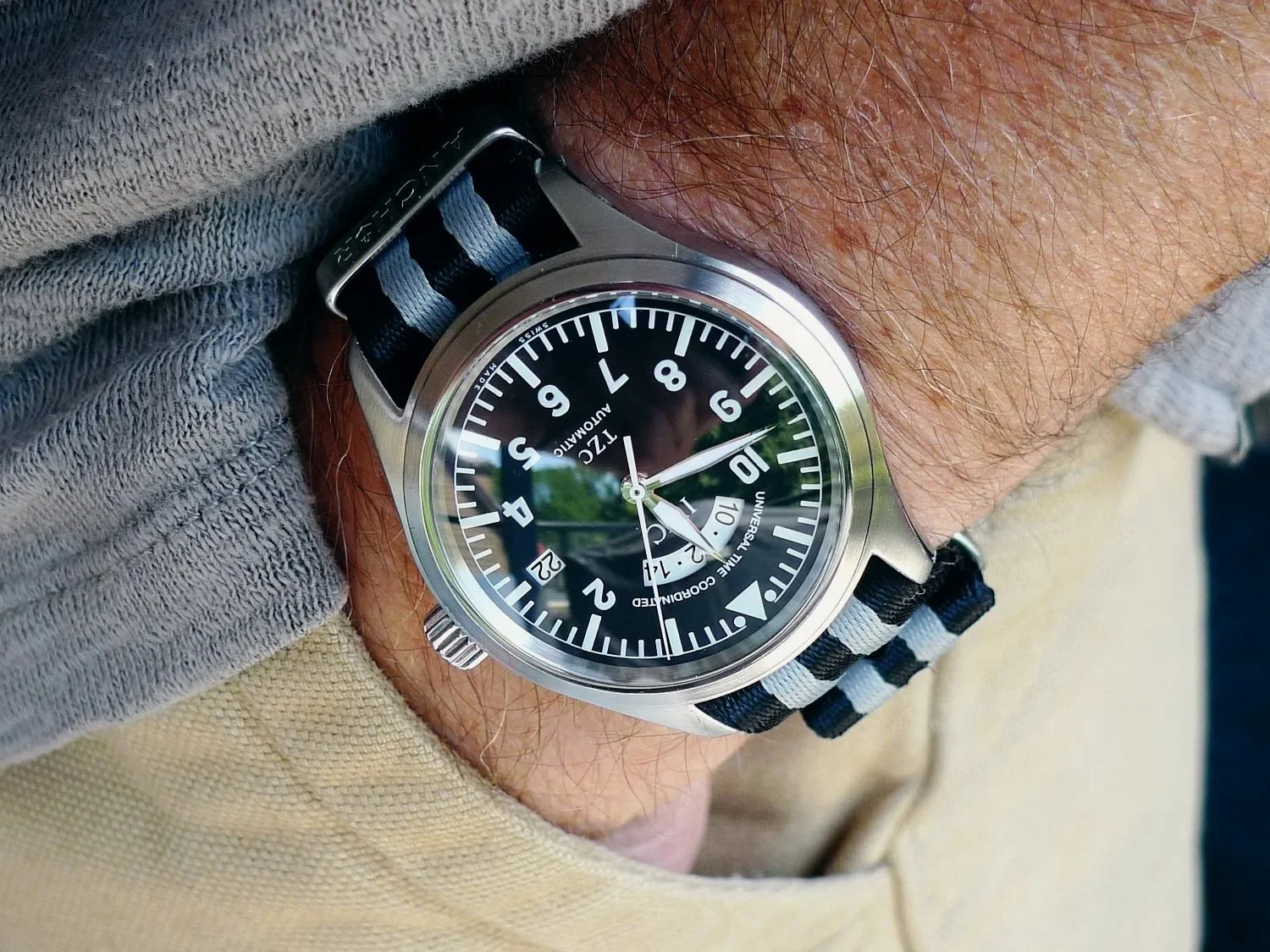
IWC Pilot’s UTC on Anchor Bond NATO
Should you get one?
The IWC Pilot’s Watch UTC is not the obvious choice—and that is much of its appeal. Travellers whose priorities include immediate brand recognition, modern specifications or a watch that can move from the airport directly into the ocean without a second thought will find better options elsewhere. I’m always on the lookout for the latter myself. But if discretion, compact proportions and an unusually intuitive approach to displaying home time sit higher on your list, this largely forgotten IWC deserves far more attention than it receives.
Its classic aviation aesthetic, strap versatility and overall subtlety have sufficiently charmed me into becoming a very happy owner several months on from purchase. I even wear it as my GADA watch at home, despite a fair bit of competition in the watch box. Perhaps that is the strongest endorsement I can give it: designed for crossing time zones, yet compelling enough that I keep reaching for it even when I’m going nowhere.
More Gear for the Journey
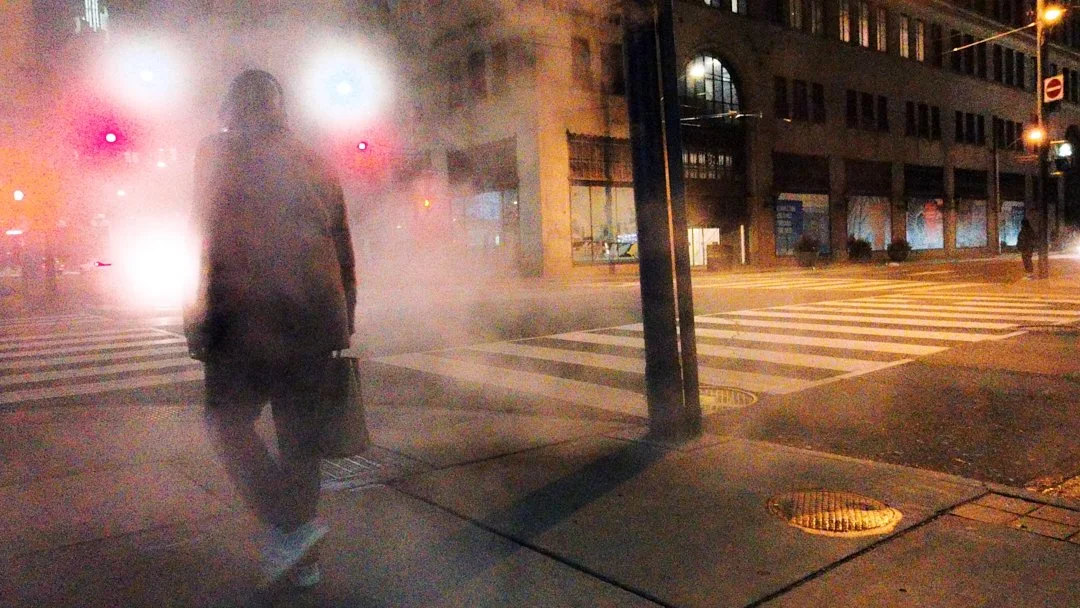
First Impressions of the Insta360 Ace Pro2 as a Stills Camera
The Insta360 Ace Pro2 showed up on my radar a couple of months ago as I started to research replacements for my aging GoPro Hero 8 Black. While my original use case for it stemmed from its core niche (action videos of mountain biking, snowboarding, motorsports, diving etc.) I was increasingly drawn to it for its much-touted broader capability set.
Toronto street corner, Leica Eternal, Toronto, ON, Insta360 Ace Pro2
Can an Action Camera Really Shoot the Street?
The Insta360 Ace Pro 2 landed on my radar while looking to replace my aging GoPro Hero 8. Initially, it was about action video—but the broader pitch pulled me in: vlogging, modular accessories, and, intriguingly, still photography. I had no expectation it would replace dedicated cameras like my Ricoh GR III, but it raised a question:
Could this be a one-camera solution for short trips, business travel, or quick weekends where I want both video and stills—without carrying much?
I decided to find out.
Update: Several months later I took the Ace Pro 2, to Greece for two weeks to answer that question properly. You can read my full Insta360 Ace Pro 2 travel camera review here.
Early Use
After some quick setup, I took it out on a mountain bike ride. I crashed. Both I and the camera survived. Footage looked solid—already a step up from my old GoPro.
Next test: a short business trip to Toronto. These trips are typically tight—24-48 hours, packed meetings—but with small windows for street photography or a quick vlog. Most of my shooting ended up happening in the evening, making this a good test for low-light performance.
Like any new piece of gear, it was fun to experiment with—different JPEG profiles, fields of view, and modes which create a myriad of combinations to explore. But a few limitations showed up quickly.
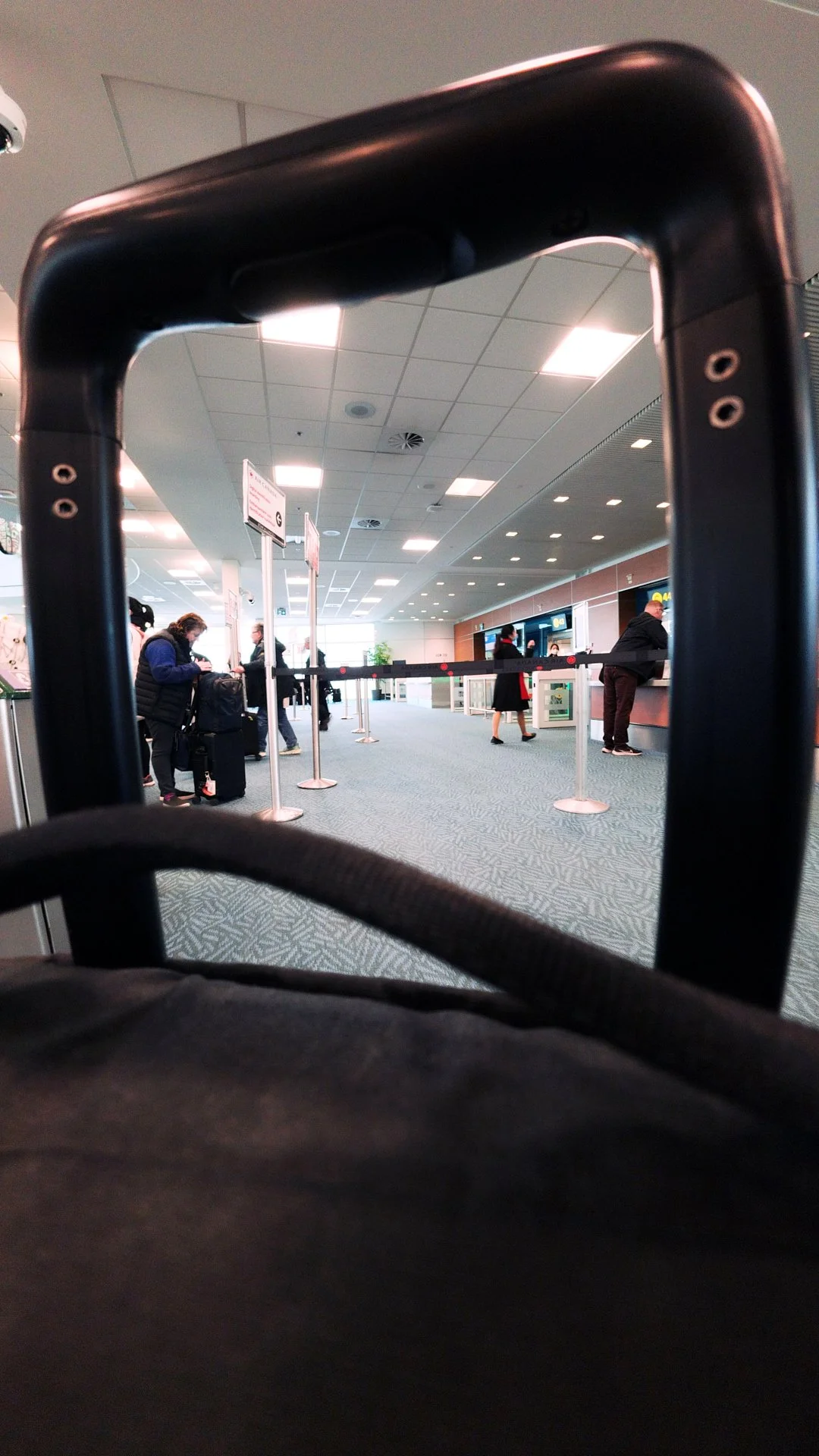
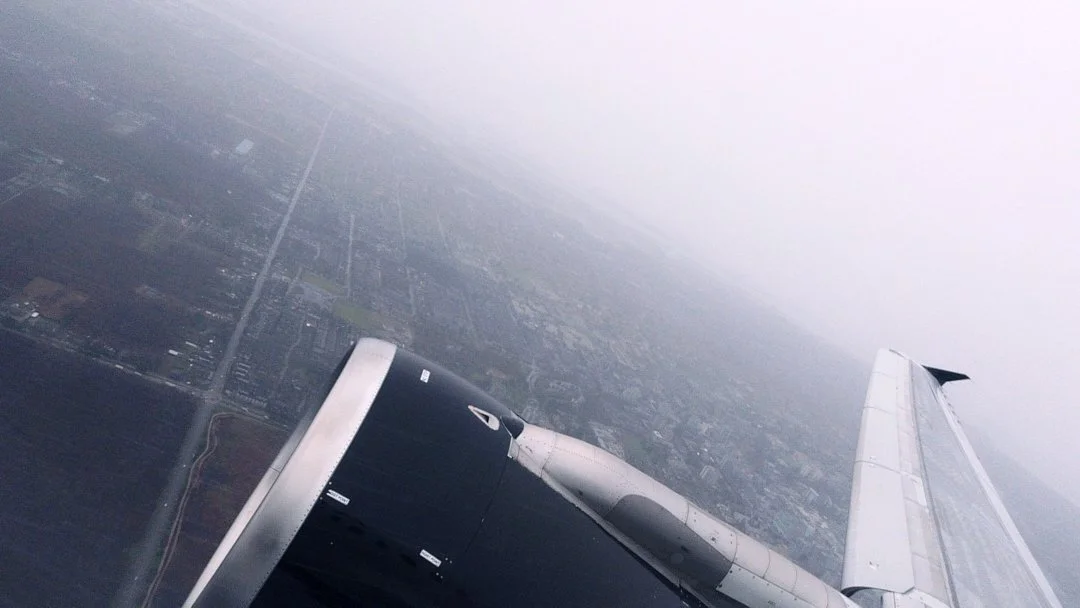
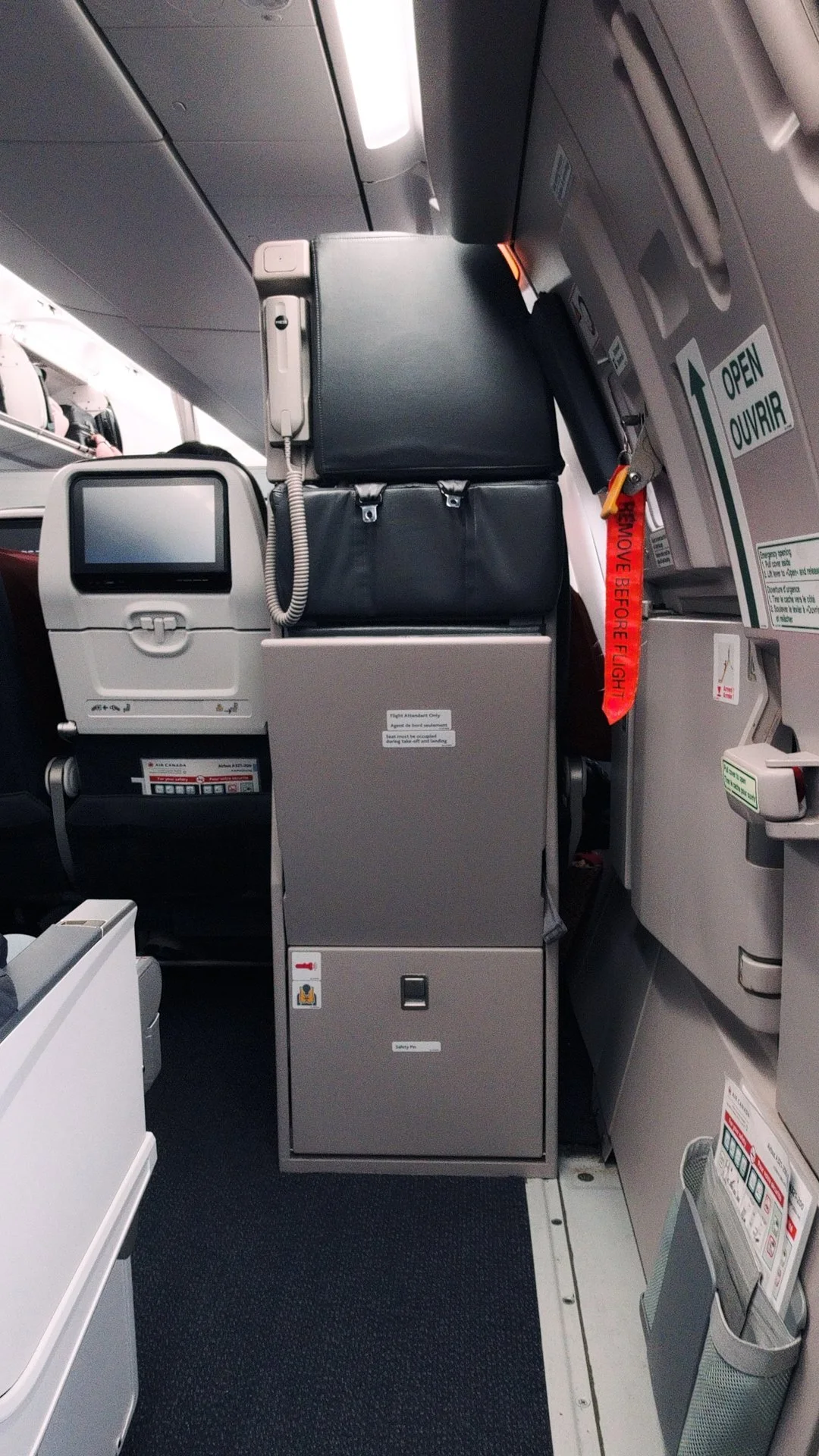
Where it Struggles
Shutter Lag (the big one)
For street and candid photography, timing is everything. Here, the Ace Pro 2 struggles.
The Xplorer Pro Grip shutter triggers on release, not press, of the button - which certainly messed with my flow
There’s a noticeable delay (~0.5s) before capture
Buffering slows consecutive shots
For still subjects, it’s fine. For moving scenes, it’s a problem.
Using the on-screen shutter button improves responsiveness, but doesn’t solve shot-to-shot delay. Ironically, the Xplorer Pro Grip—intended to enhance stills—feels like it is holding the camera back on this one..
This camera forces you to slow down. That’s not always bad—but it limits confidence when shooting anything dynamic. You can adapt, but the question is whether you should have to (or want to).
Samples shot at “normal” pace vs consciously slowing down to account for lag:


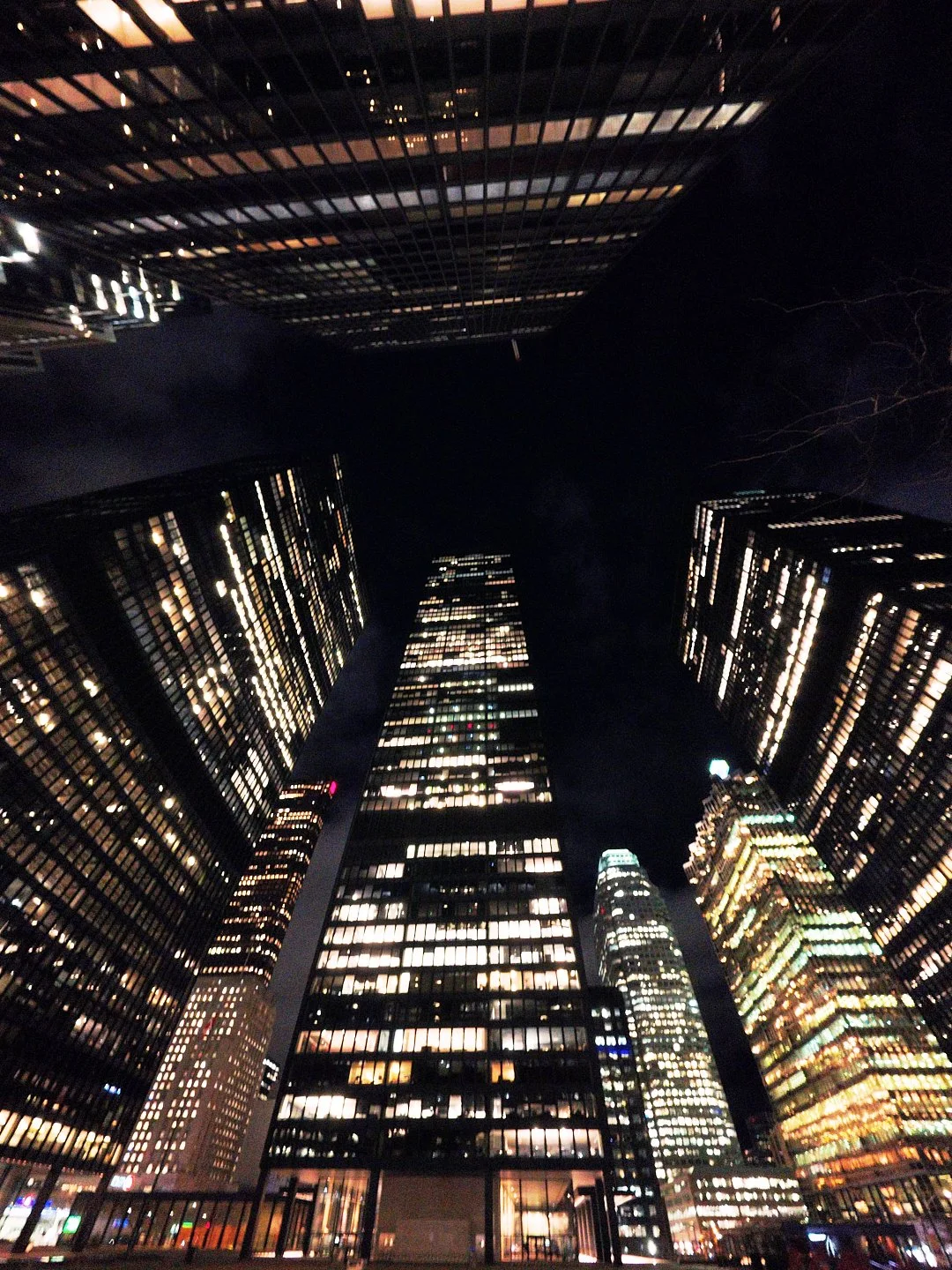
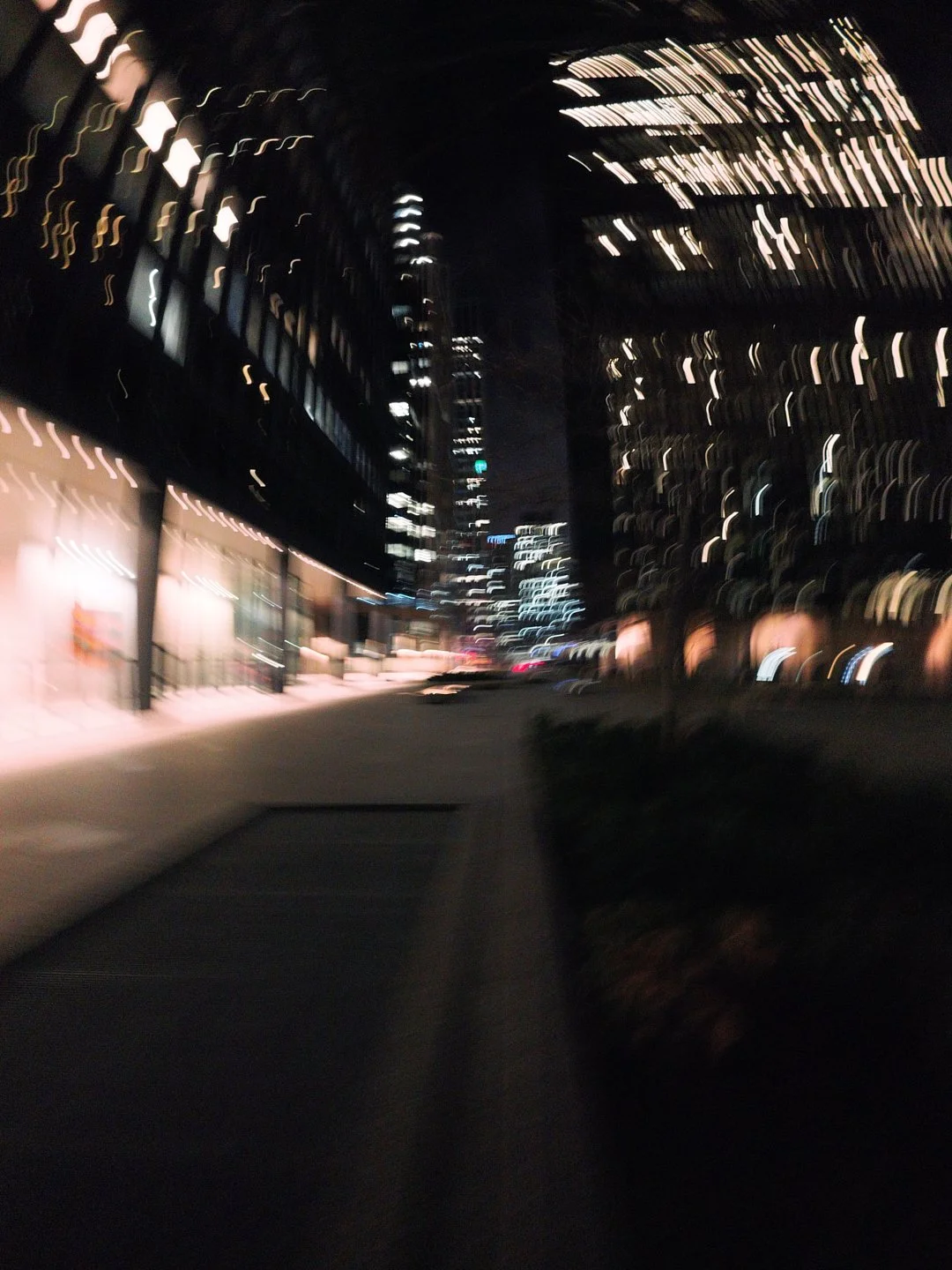
2. ISO & Image Behaviour
The way the camera handles in auto mode is a bit perplexing, particularly when it comes to ISO.
Manual ISO caps at 1600 (despite auto going higher)
Auto tends to favor lower ISO + slower shutter in dim scenes
JPEG grain can get heavy in low light
Pureshot helps the grain considerably, but requires deliberate switching. Kudos to Insta360, though, for having an automated icon pop-up when the camera believes Pureshot is called for. - That’s well thought out and a helpful reminder in the moment.
3. Ergonomics
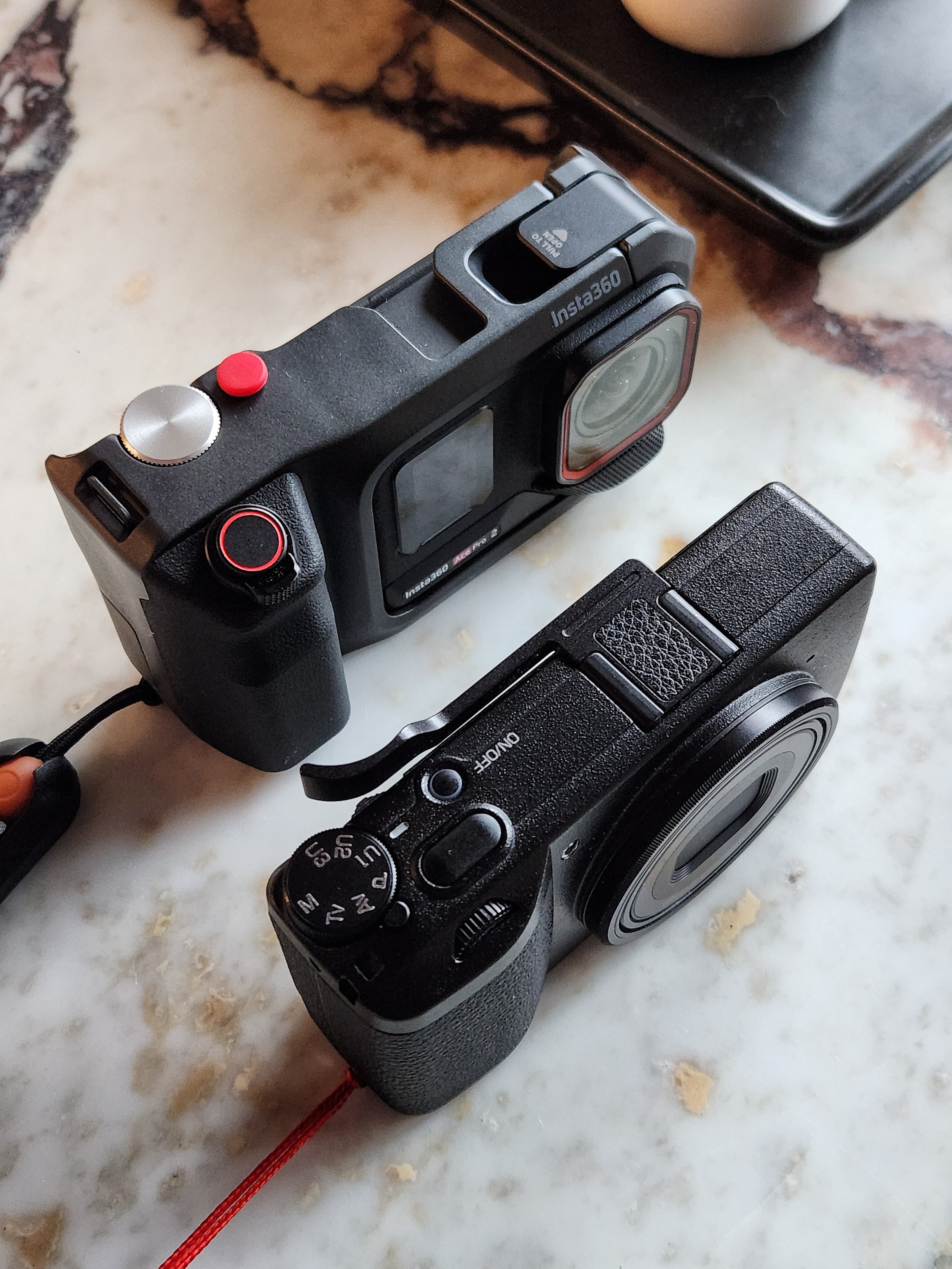
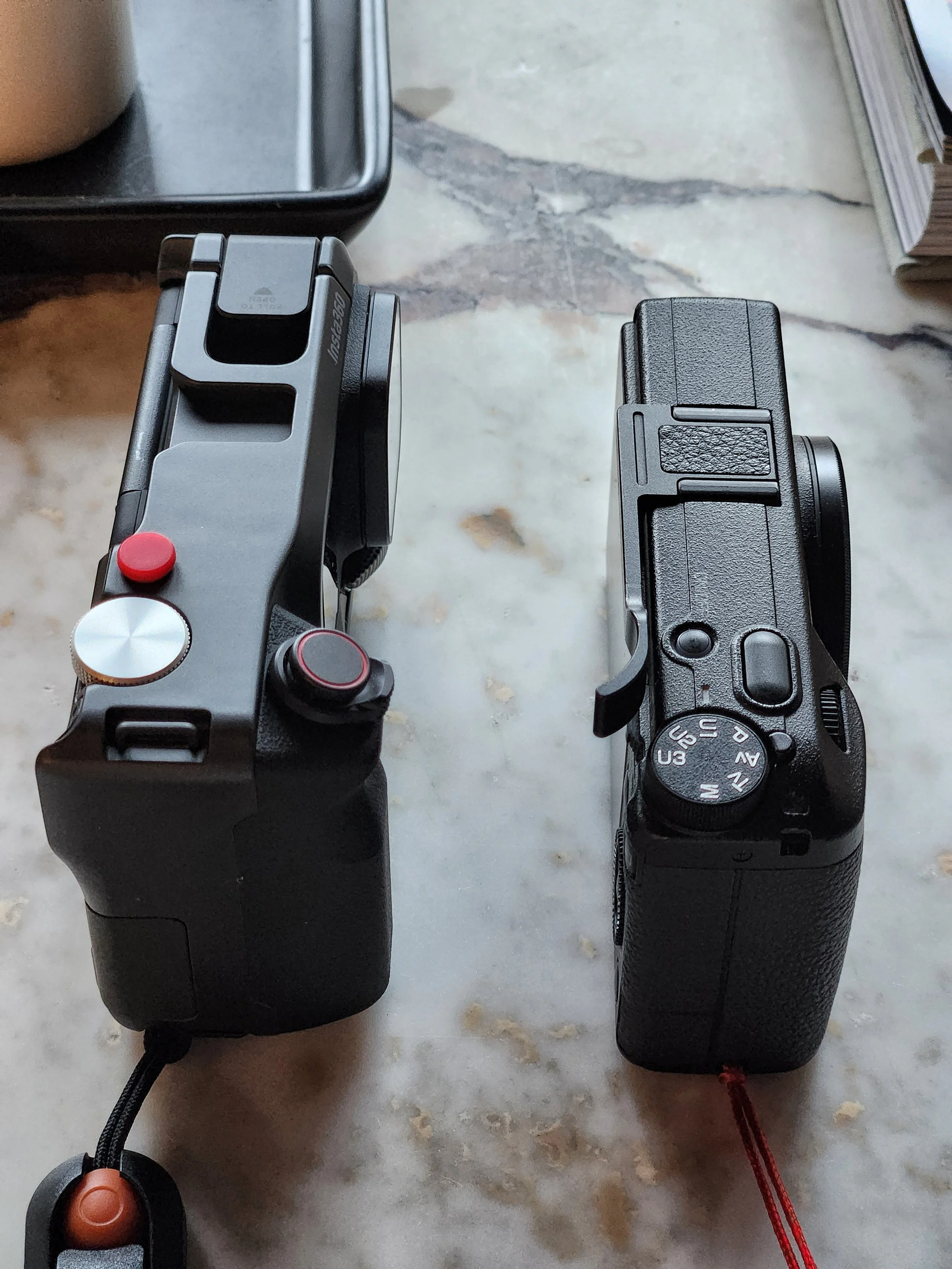
It looks cool, but for a “pocketable” camera it is surprisingly heavy and thick with the Xplorer Pro Grip attached. Perhaps that’s the price we pay for the extra battery capacity, and no doubt I’m spoiled by the featherweight Ricoh GR iii that typically accompanies me on street shoots (with two spare batteries in my bag owing to it’s poor battery life). Here are some thoughts on the form factor after a couple days of use:
Thumb dial is overly sensitive → accidental changes are common (for me) from the slightest nudge in a natural grip position. A cold-shoe mounted thumb rest could potentially solve this.
Grip is bulky → less “pocketable” than expected (think jacket, not jeans)
No included lens cover → constant low-level anxiety for smudges and scratches
I’ve already lost the shutter button → The screw-in button has managed to disappear having backed-out unbeknownst to me. I’ve substituted a spare that happened to be in my gear drawer, but I can’t say I’ve ever had this happen on another camera.
It’s by no means a large camera, but with the grip attached it’s heavy enough that you’d notice it quickly on a selfie stick, say if you were doing dual-duty for vlog and stills on the run.
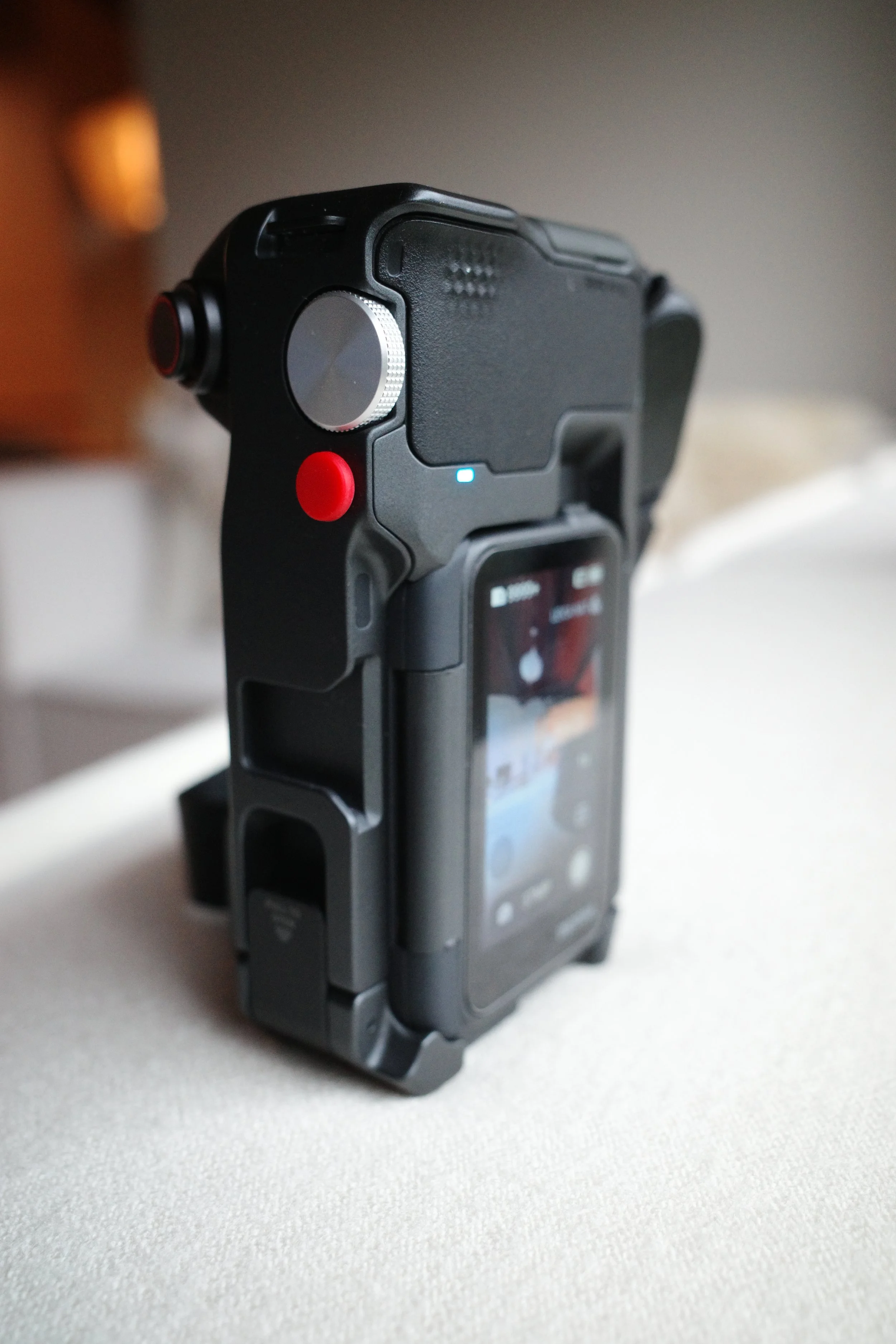
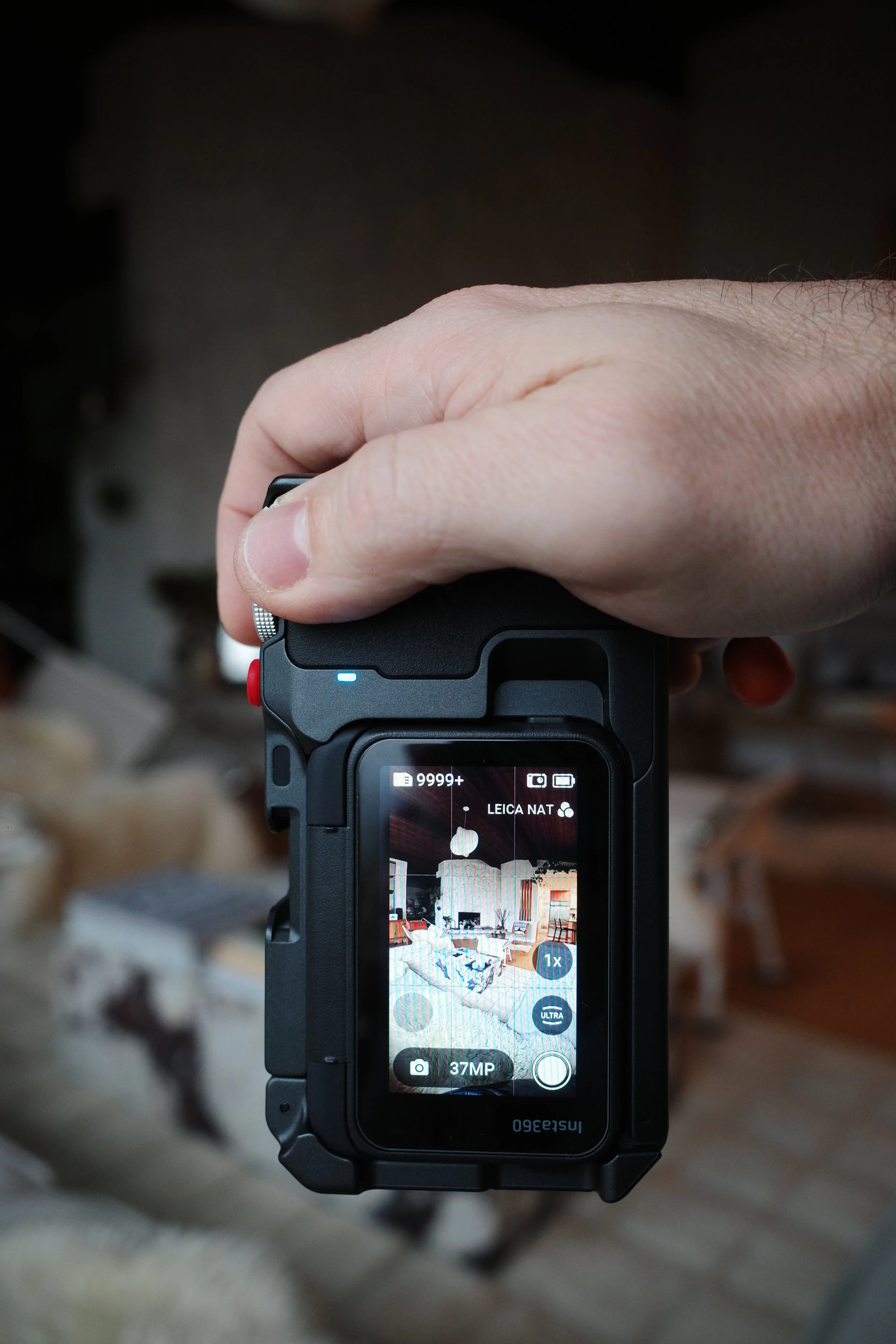
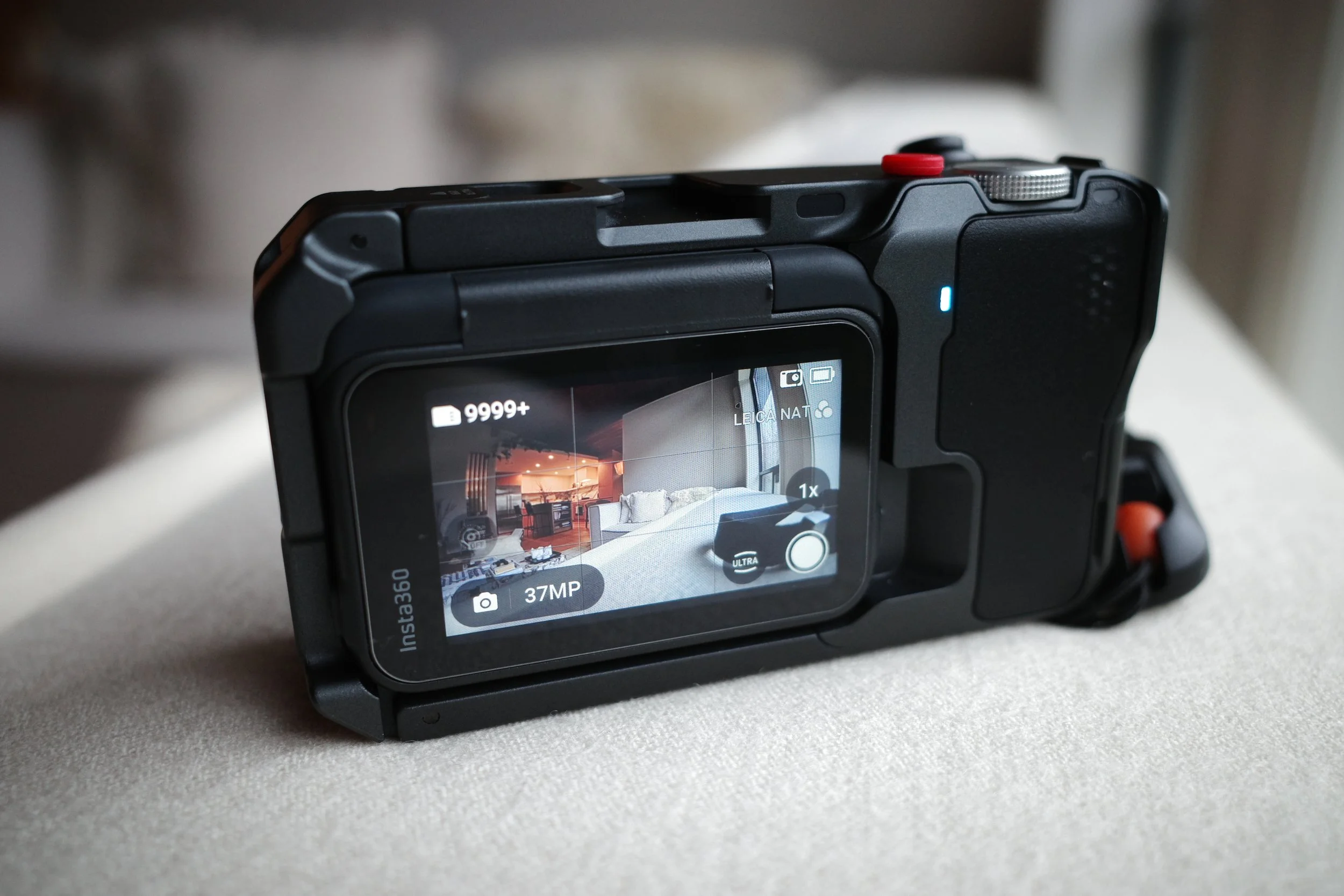
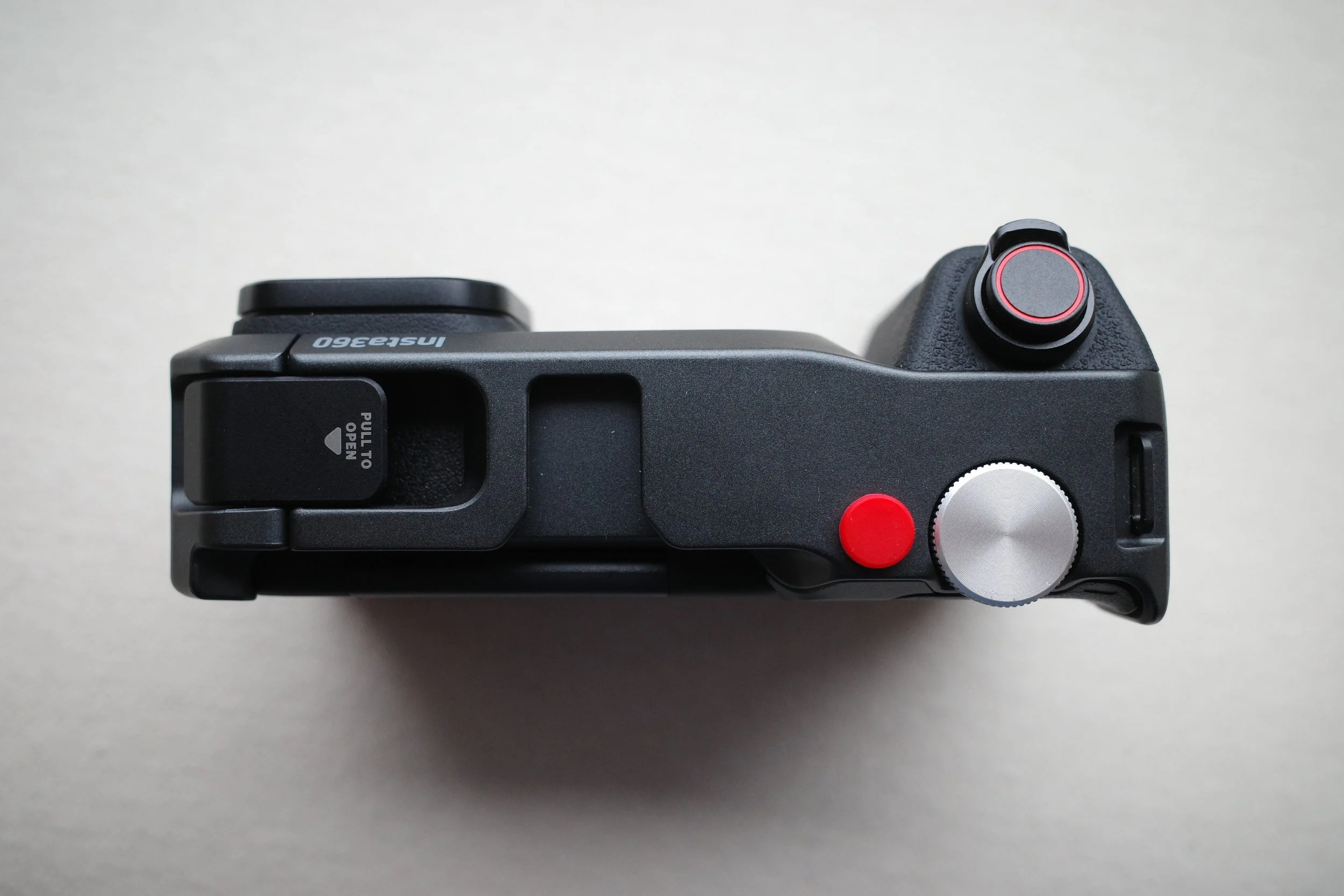
“...it feels like the Xplorer Pro Grip, despite its intent as an enabler for stills, is actually holding this camera back.”
Gap in the steam, Leica Eternal, Toronto, ON
What Works Well
JPEG Profiles
The JPEG profiles are strong out of camera and feel very useable. There are a lot of options and I’ve only begun to scratch the surface with them. There’s something for everyone from subtle to over-the-top effects here.
The Leica profiles—especially Eternal—stand out. Dark, contrasty, and stylistically relevant. With light editing, you can get compelling results.
Desolate UP Express stations, Leica Eternal

Shot taken from the UP Express, Leica Eternal
Taken without using Pureshot, heavy grain is evident but I don’t mind it here, Leica Eternal
Attempting a panning shot with the Insta360 Ace Pro2, Leica Eternal
Downtown Toronto, Leica Eternal, Insta360 Ace Pro 2
2.Field of View
There is lots of flexibility, especially with accessory lenses. This gives it a leg-up on a lot of traditional point and shoots with fixed prime lenses or limited zoom capabilities. This combined with the many Jpeg profiles expands on the creative potential of the Ace Pro 2 - I don’t think I’ll get bored of it any time soon!
The Downside:
FOV isn’t recorded clearly in metadata
Ultra-wide setting even without an accessory lens can literally capture your fingers on the grip, and so could prove problematic for handheld shooting.
Union Station, Toronto ON
Union Station, Toronto ON
“Another surprising finding was that in Ultra Wide mode the lens actually picks-up my fingers on the grip!”
Finger visible on the grip on right side of frame, Insta360 Ace Pro2, Ultra FOV
3.Lens System
The cinematic lens is excellent—well-built and genuinely expands creative potential.
The ability to change lens attachments to achieve a multitude of looks and expand capabilities is one of the camera’s strongest advantages. Not to mention other accessories such as the dive-case, which I just recently ordered. (stay tuned for the undersea review!)
Still captured in the Insta360 Video Editing software, Cinematic Lens Attachment
4.Durability
Well it’s already survived a crash, so top marks for that!
Compared to something like the Ricoh GR series, this feels far more robust. Add-in the Insta360 replacement program, and it’s a strong point when considering this platform. The lack of lens cover for the standard lens is the downside here. With the grip mounted some watertightness is evidently lost due to removing the usb-c cover and plugging in the rubber-housed grip connector plug, but it seems more than capable even then of handling a downpour.
So—Can It Replace a Point & Shoot?
Not yet.
Image quality is certainly good enough for casual use and social content, but the responsiveness issues hold it back for serious (or perhaps I should say reliable) stills work. If results matter—or if you’re shooting anything dynamic—you’re better off with a dedicated camera (or even a modern smartphone). This may seem a likely or even obvious conclusion to seasoned or dedicated hobbyist photographers, but I don’t think that’s who this camera is targeting.
Final Take
The Ace Pro 2 is impressive—but not as a stills-first camera.
Where it shines is versatility:
video
rugged use
creative experimentation
For stills, it’s capable—but constrained.
That broader question—whether a piece of gear genuinely earns its place on the journey—is also at the heart of my IWC Pilot’s Watch UTC review.
So where did that leave me? A few months after these initial impressions, I took the camera to Greece for a two-week real-world test of the Ace Pro 2 as a travel camera, curious to see whether more familiarity—and a few firmware updates—could change my mind.
Reflecting on the Insta360 Ace Pro2

Expert Shield Screen Protector
A brief review of the excellent Expert Shield Screen Protectors.

Give Your Gear Some Love
If you’ve followed my blog for a bit, you’re likely wondering what I’m doing writing about a digital camera accessory. While it’s true I love the experience of shooting with film, great design is always near and dear to my heart and there are some wonderfully designed digital cameras out there, with the Fujifilm X-Pro2, Ricoh GRii and Olympus TG3 occasionally finding themselves in my hand or somewhere in my Peak Design Everyday Backpack. A common feature of all three of these cameras is an exposed screen and -as one who obsesses about keeping his toys tidy- preventing those screens from becoming damaged is important to me.
You’re Writing About A Clear Piece of Plastic?
Yes, yes I am! As I mentioned, I love great design, and even something as simple as a screen protector will catch my attention if it’s executed well. The Expert Shield Screen Protector is a simple lesson in excellent product design and user experience, enough so that I’ve actually been thinking about writing about ever since i installed my first one. So here we go, the short and sweet on why this is the only screen protector brand I would consider for my cameras.


Fit & Finish
I’ve now purchased and installed two Expert Shield screen protectors, one on my Ricoh GRii (above) and the other on my Fujifilm X-Pro2 (bellow) and the fitment is absolutely spot on. My X-Pro2 protector even came with a spare in the sleeve (perhaps inadvertently?) and when I lined it up it matched the screen as perfectly as the original piece I affixed. For the Ricoh I chose the “Anti Glare” variant, whereas I used the “Crystal Clear” version on the X-Pro2. This was somewhat strategic, given the Ricoh lacks a viewfinder and thus good screen visibility in all lighting conditions is paramount. With the Fuji, I primarily use the viewfinder to shoot, and so the screen is really used just to review my shots.
The screen on both cameras is slightly recessed and for this reason I believe the protector is about 1mm shy of perfectly flush with either side, which actually helps with ease of installation. The screen comes cleverly sandwiched between two protective layers which helps you not mess up in handling and when practicing test fittings. Finally, there’s nothing flimsy about it; both versions have a quality feel with a thickness and rigidity that might surprise you but definitely will inspire confidence in their ability to help protect your gear.


Easy as ABC
About a year ago I witnessed first hand as a camera-store employee ham-fistedly affixed another brand of screen protector to my Xpro-2 (and assured me all the bubbles left behind would sort themselves out). The experience left me a bit gun-shy about trying it myself, but eventually the old protector was so dilapidated that I simply had to peel it off and find a replacement. Expert Shield clearly have put a lot of thought into ensuring their customers’ experience affixing the protector is stress-free. They even provide a handy screen wipe to ensure your screen is crystal clear before adding the protector. The package has clear, concise and fairly comical instructions printed on the back, and of course there’s even more detail and installation videos on their site. The installation tip recommending doing the final installation in a slightly foggy bathroom (to reduce dust in the air and thus landing on your screen) seemed especially clever; though my wife was curious what I was up to bringing the camera into the bathroom and running a steamy shower…

It Works
After several months of rattling around in backpacks, purses and the back of our cars; the screens (and shields) look as immaculate as the day I installed them. No bubbles, all edges firmly affixed and not even a scratch on either. Both versions work well in various lighting conditions without distorting or obscuring what you’re aiming to see. The crystal clear version which I have on the XPro-2 feels a touch softer than the anti-glare variant, so I expected it to start to show some scratching but it’s been remarkably resilient. In fact, when I started writing this piece I had to check the XPro-2 closely just to make sure it was indeed still installed -it’s that clear and precise a fit. The anti-glare shield on the Ricoh quite frankly feels like it will outlive the rest of the camera. It’s a touch more difficult to clean fingerprints from than the crystal clear version, but I find a mild screen cleaning solution such as Zeiss Lens Cleaner does the trick to keep it clean. I highly recommend these affordable, well-made shields for your camera. They’re a cheap investment to help protect a not-so cheap tool and certainly give you a ton more piece of mind when working with cameras with exposed screens.
Disclaimer
I purchased these screens from Amazon on my own and was neither sponsored nor subsidized to do so nor to write this article. I’m a consumer and enthusiast sharing a great experience for like-minded individuals! If you’d like to purchase these screen protectors for your own cameras, please consider using the links in my article, through which I might earn a small commission on qualifying purchases as an Amazon Associate. This will help to offset my hosting costs and allow me to keep generating content you enjoy! Thanks! RicohGRii and Fujifilm XPro-2
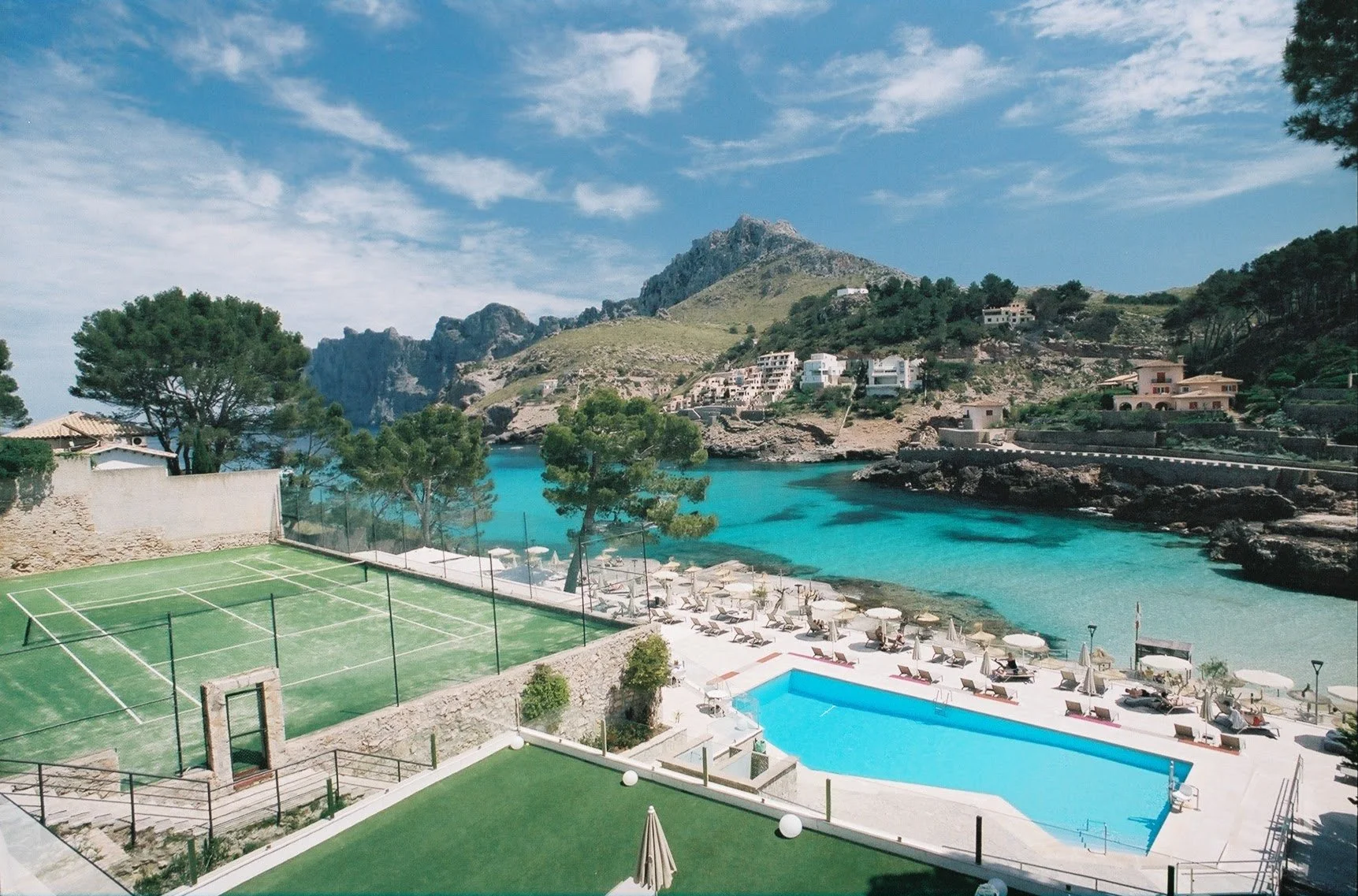
A relaxed Palm Springs getaway featuring mid-century architecture, great restaurants, boutique hotels, pool days, and desert sunshine.